

MCP Part 3: Claude to Search the Web & Query Databases in Real-time
The Power of MCP: Enabling Claude with Real-time Brave Search and Direct Database Access
Continuing from our previous post, we will now explore using MCP (Model Context Protocol) with Claude to enable real-time searches through the Brave API.
If you haven’t read the previous articles, I recommend first checking out “MCP Part 1: Beyond AI Limitations — Your Essential Guide to MCP” and “MCP Part 2: Working with Claude” before proceeding with this content.
Please note that I’m writing this using a Claude paid plan subscription, and there may be functional limitations if you’re using the free plan.
Additionally, all installation and execution results demonstrated here are from a Windows environment.
Get a primer on MCP here:
What is the Model Context Protocol (MCP)? | Explained In Plain English
The Model Context Protocol (MCP) is an open standard that lets AI models interact with tools, data, and prompts…plainenglish.io
🏷 Brave Search API
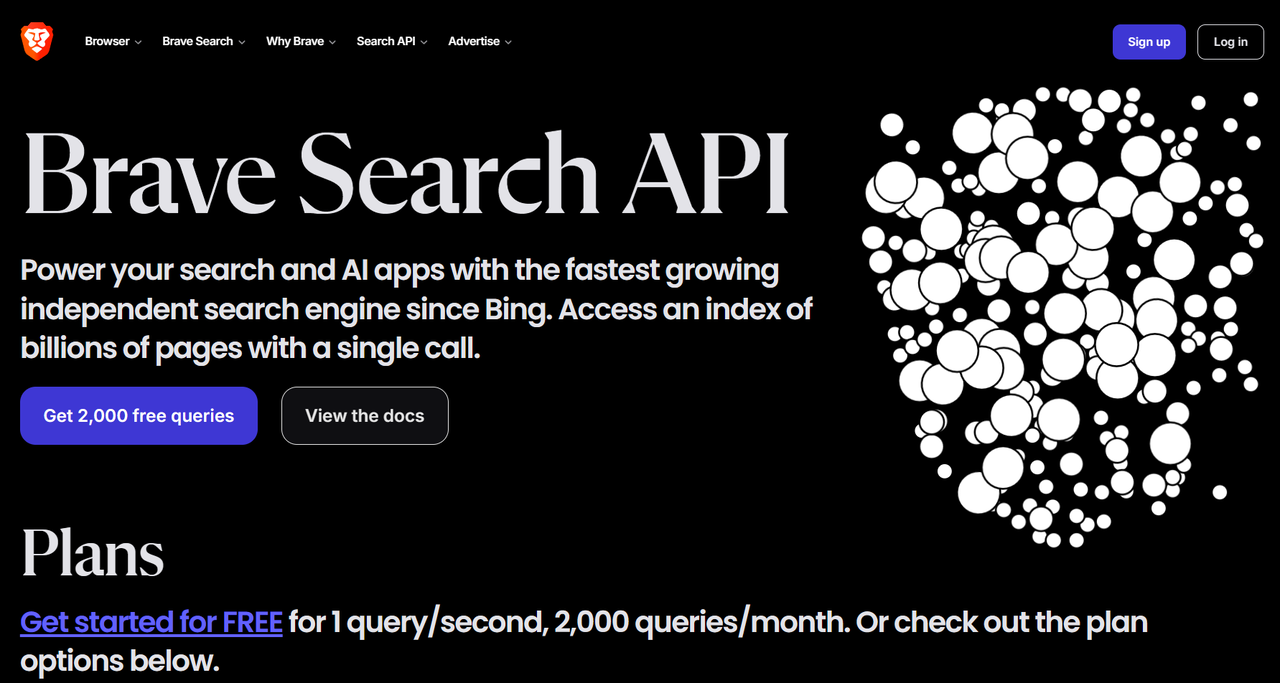
Power your search and AI apps with the fastest growing independent search engine since Bing. Access an index of billions of pages with a single call.
As advertised on their official website (https://brave.com/ko/search/api/), the Free tier allows up to 2,000 queries per month with a rate limit of 1 query per second at no cost.
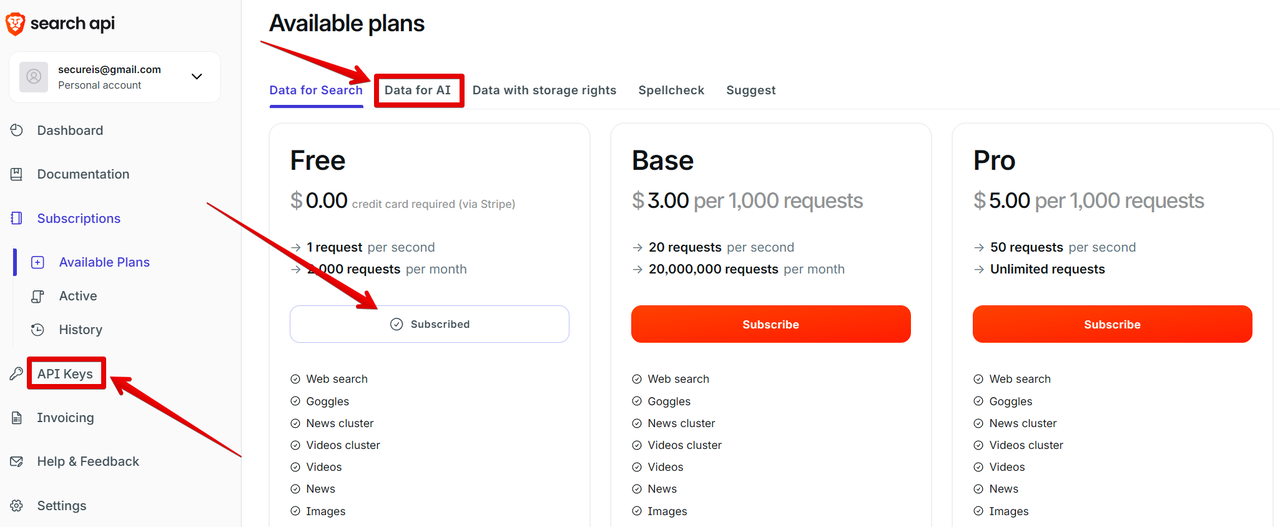
This subscription includes access to Data for Search, Data for AI, Spellcheck, and Suggest features. You’ll need to sign up to generate an API key, so let’s subscribe first and then create your API key.
🏷 Brave MCP Server
Now let’s set up the MCP Server for Brave Search.
You can find the package on npm: @modelcontextprotocol/server-brave-search
@modelcontextprotocol/server-brave-search
MCP server for Brave Search API integration. Latest version: 0.6.2, last published: 4 months ago. Start using…www.npmjs.com
Here’s the basic JSON configuration for the server:
{
  "mcpServers": {
    "brave-search": {
      "command": "npx",
      "args": [
        "-y",
        "@modelcontextprotocol/server-brave-search"
      ],
      "env": {
        "BRAVE_API_KEY": "YOUR_API_KEY_HERE"
      }
    }
  }
}
However, since we’ve already added the filesystem MCP in our previous setup, when using both together, the configuration will look like this:
{
  "mcpServers": {
    "filesystem": {
      "command": "npx",
      "args": ["-y", "@modelcontextprotocol/server-filesystem", "D:\\KAN_WebWork\\MCP"]
    },
    "brave-search": {
      "command": "npx",
      "args": [
        "-y",
        "@modelcontextprotocol/server-brave-search"
      ],
      "env": {
        "BRAVE_API_KEY": "xxxxxxxx"
      }
    }
  }
}
You only need to replace the placeholder in the BRAVE_API_KEY field with your actual API key. Be careful to ensure there are no syntax errors in the JSON format, especially when adding or removing commas between server entries. If you're unsure about your JSON syntax, you can ask Claude to check for errors and it will make the necessary corrections for you.
A quick note about the JSON configuration above: You’ll notice there are two identifiers: “filesystem” and “brave-search” — these are what we refer to as individual servers. When these servers are called, they execute via npx (which runs local package commands after the initial package installation) to provide data to Claude, helping it generate more informed responses.
What’s happening here is transformative: tasks previously handled by Claude alone are now supported by MCPs, enabling cloud AI systems to perform functions they couldn’t do before, such as controlling local files or conducting real-time searches.
🏷 Examining the Log Files
After installing the Brave MCP, I encountered an error. For troubleshooting, log files can be found at: C:\Users\[username]\AppData\Roaming\Claude\logs (on Windows).
Here’s the error I encountered:
npm ERR! code ENOENT npm ERR! syscall lstat npm ERR! path C:\Users\KAN\AppData\Local\AnthropicClaude\app-0.8.1\${APPDATA} npm ERR! errno -4058 npm ERR! enoent ENOENT: no such file or directory, lstat ‘C:\Users\KAN\AppData\Local\AnthropicClaude\app-0.8.1\${APPDATA}’ npm ERR! enoent This is related to npm not being able to find a file. npm ERR! enoent npm ERR! A complete log of this run can be found in: C:\Users\KAN\npm-cache\_logs\2025–03–27T09_25_53_997Z-debug-0.log 2025–03–27T09:25:54.432Z [brave-search] [info] Server transport closed
The issue was that npm couldn’t find a directory under APPDATA. Interestingly, while other servers functioned properly without npm in this location, only the Brave server was problematic. You can resolve this by explicitly specifying the APPDATA path:
   "env": {
        "APPDATA": "D:\\00.DevTool\\09.NVM\\nvm\\v22.14.0\\node_modules",
        "BRAVE_API_KEY": "xxxxxxxxxxxx"
      }
In my case, the path is configured this way because I manage multiple Node.js versions using NVM. For most users, you would simply specify the directory where Node.js is installed.
The logs also record informational data, which provides insight into how MCP works:
2025–04–05T03:12:35.327Z [brave-search] [info] Message from client: {“method”:”tools/call”,”params”:{“name”:”brave_web_search”,”arguments”:{“query”:”New York City weather today April 5 2025"}},”jsonrpc”:”2.0",”id”:65}
2025–04–05T03:12:36.449Z [brave-search] [info] Message from server: {“jsonrpc”:”2.0",”id”:65,”result”:{“content”:[{“type”:”text”,”text”:”Title: Weather in New York City in April 2025 (New York) — detailed Weather Forecast for a month\nDescription: Detailed <strong>New</strong> <strong>York</strong> <strong>City</strong> <strong>Weather</strong> Forecast for <strong>April</strong> <strong>2025</strong> — day/night temperatures, precipitations — World-<strong>Weather</strong>.info\nURL: https://world-weather.info/forecast/usa/new_york/april-2025/\n\nTitle: New York City weather in April 2025 | Weather25.com……\nURL: https://www.meteoprog.com/weather/Newyork/month/april/"}],"isError":false}}
🏷 Real-time Searching with Claude
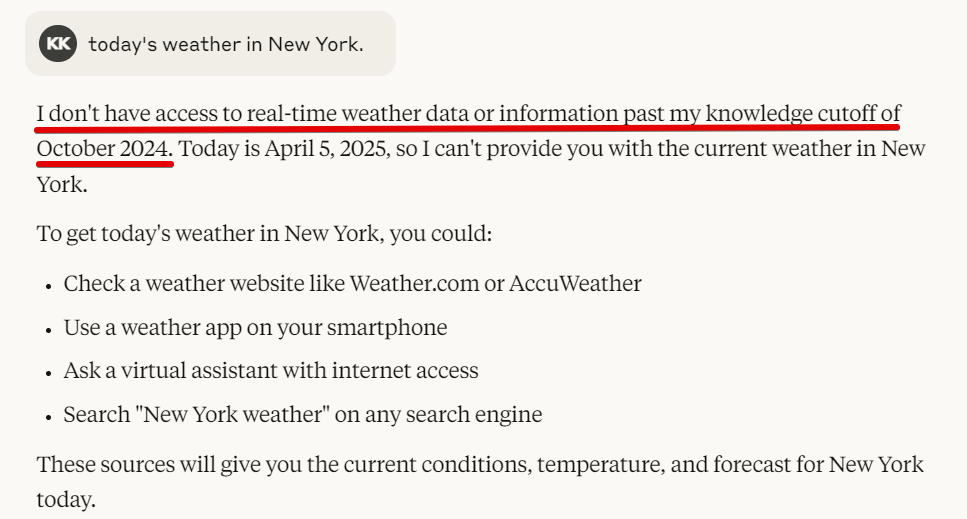
When asking about New York’s weather using a traditional AI system, Claude doesn’t inherently provide real-time information, so only general, knowledge-cutoff limited responses are possible.
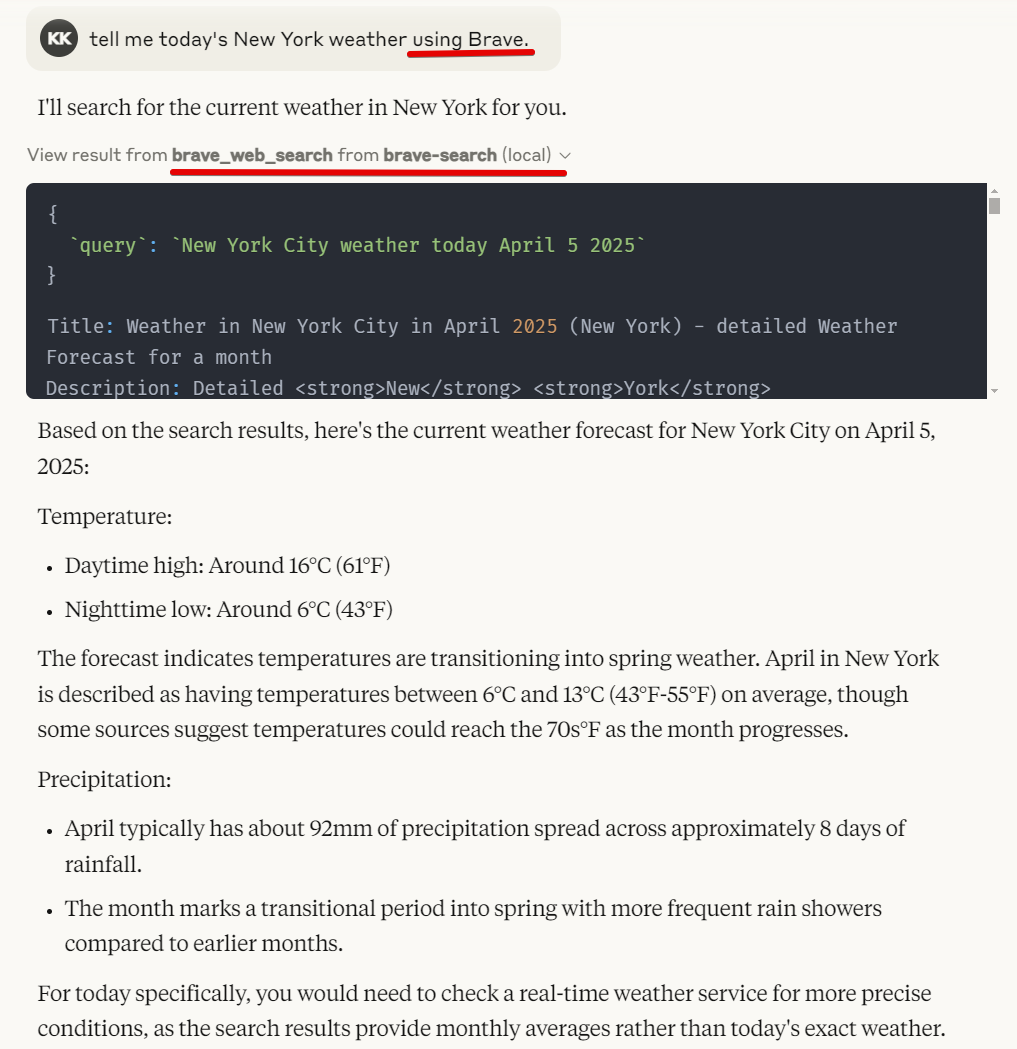
However, with our newly equipped MCP, Claude can now provide search data in real-time by leveraging the Brave Search API.
Brave offers both brave_web_search and brave_local_search capabilities. What I've demonstrated above is the web_search function. I tried the local_search feature but was unable to get it working, possibly due to limitations of the free account or because of regional restrictions in Korea.
For local_search, the documentation indicates you should include "near me" in your query as a reference point.
By simply adding a few lines of JSON code, we’ve incorporated functionality that wasn’t available in traditional cloud AI systems. This demonstrates the powerful potential of MCP. By adding desired servers, you can customize Claude’s capabilities in your preferred format, making it easier to obtain the specific answers you need.
🏷 Various MCP Servers
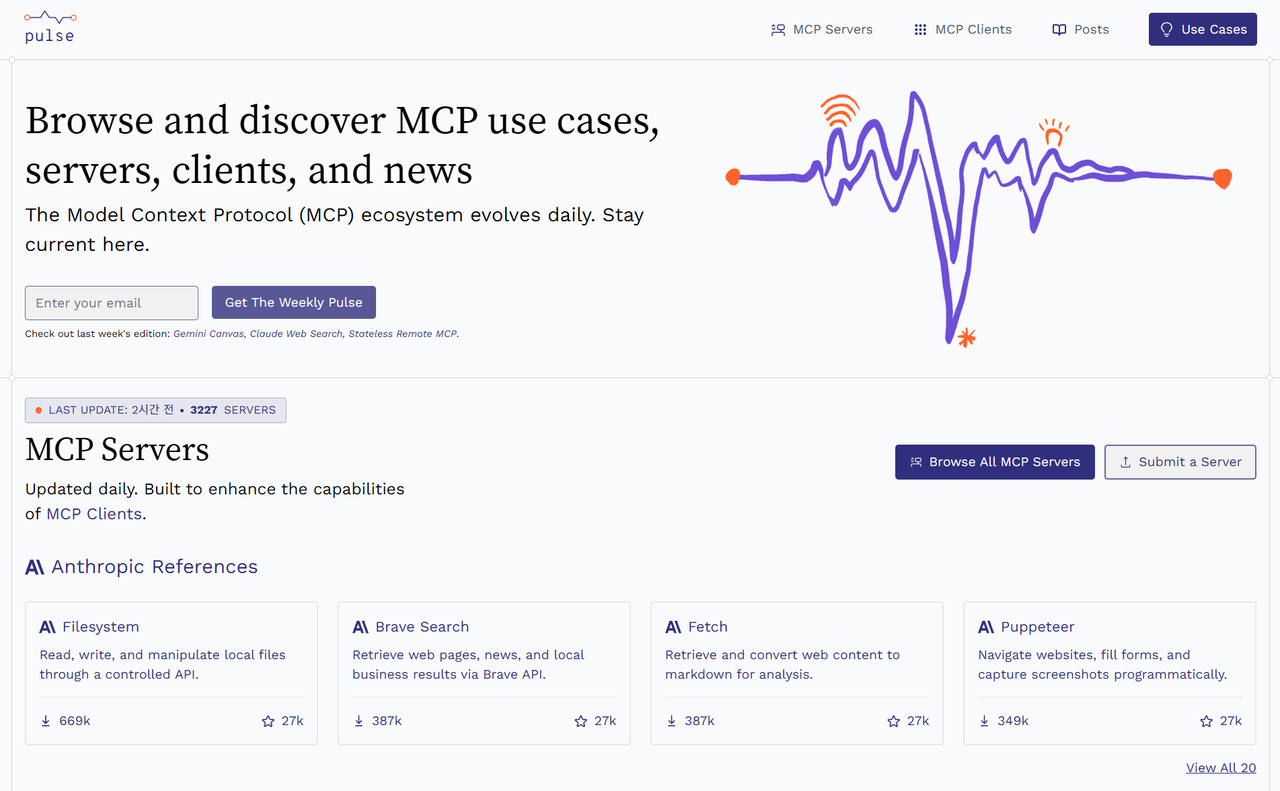
You might be wondering where to find information about available MCP servers. You can explore these servers in the official GitHub repository of the Model Context Protocol or on the plusemcp.com website:
GitHub - modelcontextprotocol/servers: Model Context Protocol Servers
Model Context Protocol Servers. Contribute to modelcontextprotocol/servers development by creating an account on…github.com
🏷 Postgres MCP Server
Let’s try using another database-related MCP from the servers mentioned above.
You can find the PostgreSQL server package on npm:
@modelcontextprotocol/server-postgres
MCP server for interacting with PostgreSQL databases. Latest version: 0.6.2, last published: 4 months ago. Start using…www.npmjs.com
I integrated PostgreSQL with my current project, and the results were excellent. (For MySQL users, there’s also a MySQL version available.)
Here’s how the configuration looks with three servers:
{
  "mcpServers": {
    "filesystem": {
      "command": "npx",
      "args": ["-y", "@modelcontextprotocol/server-filesystem", "D:\\KAN_WebWork\\MCP"]
    },
    "brave-search": {
      "command": "npx",
      "args": [
        "-y",
        "@modelcontextprotocol/server-brave-search"
      ],
      "env": {
        "APPDATA": "D:\\00.DevTool\\09.NVM\\nvm\\v22.14.0\\node_modules",
        "BRAVE_API_KEY": "xxxxxxxxxxxx"
      }
    },
    "postgres": {
      "command": "npx",
      "args": [
        "-y",
        "@modelcontextprotocol/server-postgres",
        "postgresql://localhost/mydb"
      ]
    }
  }
}
We now have three servers configured: filesystem, brave-search, and postgres.
To connect to PostgreSQL, simply provide the correct connection string. If external access is enabled on your database, you should be able to connect normally. Note that if your password contains special characters, you’ll need to use URL encoding. In particular, the @ symbol in passwords must be converted to %40.
Since we’re dealing with a database, it’s important to note that only read-only access is possible for security reasons.
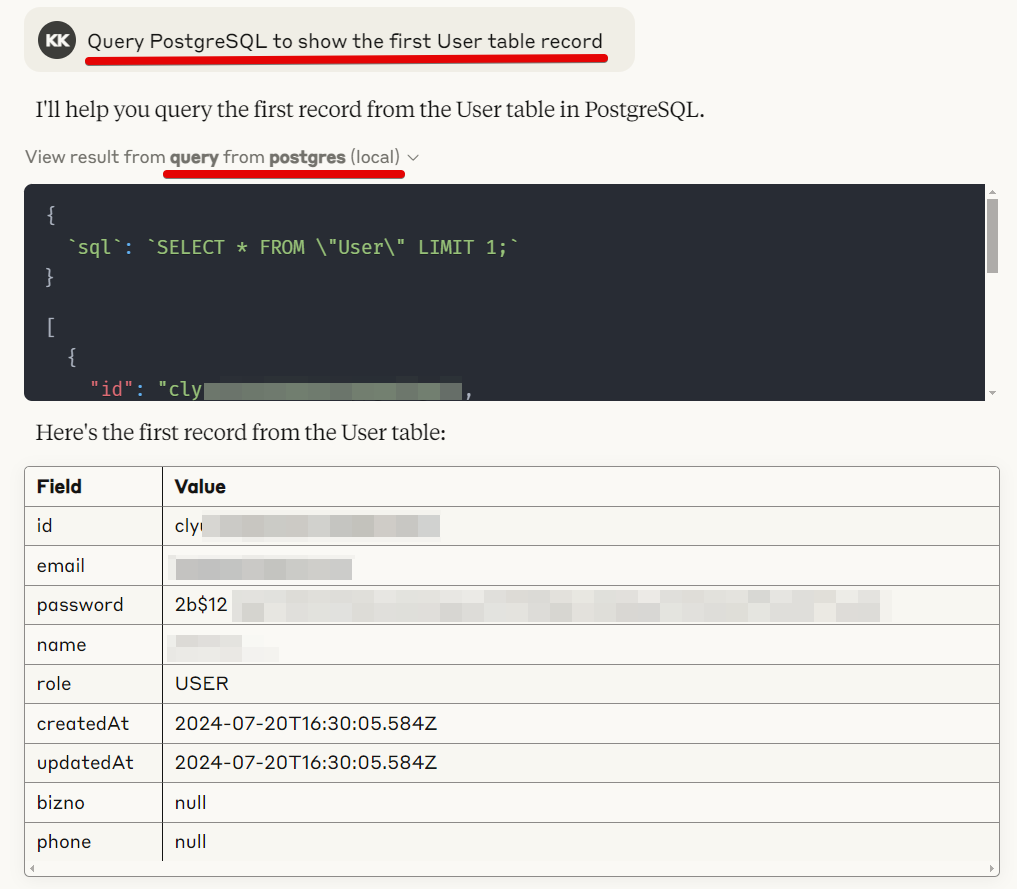
When I tested it by asking questions about my database, Claude retrieved and provided data directly from PostgreSQL. The experience was genuinely impressive!
Without having to run a client tool and manually execute SQL queries, I could simply ask questions in natural language and get answers. What’s more remarkable is that there’s no longer any need to explicitly explain table structures, schemas, or describe what each column contains.
Why? Because with MCP enabling direct database access, Claude automatically infers relationships between tables and retrieves the necessary information on its own.
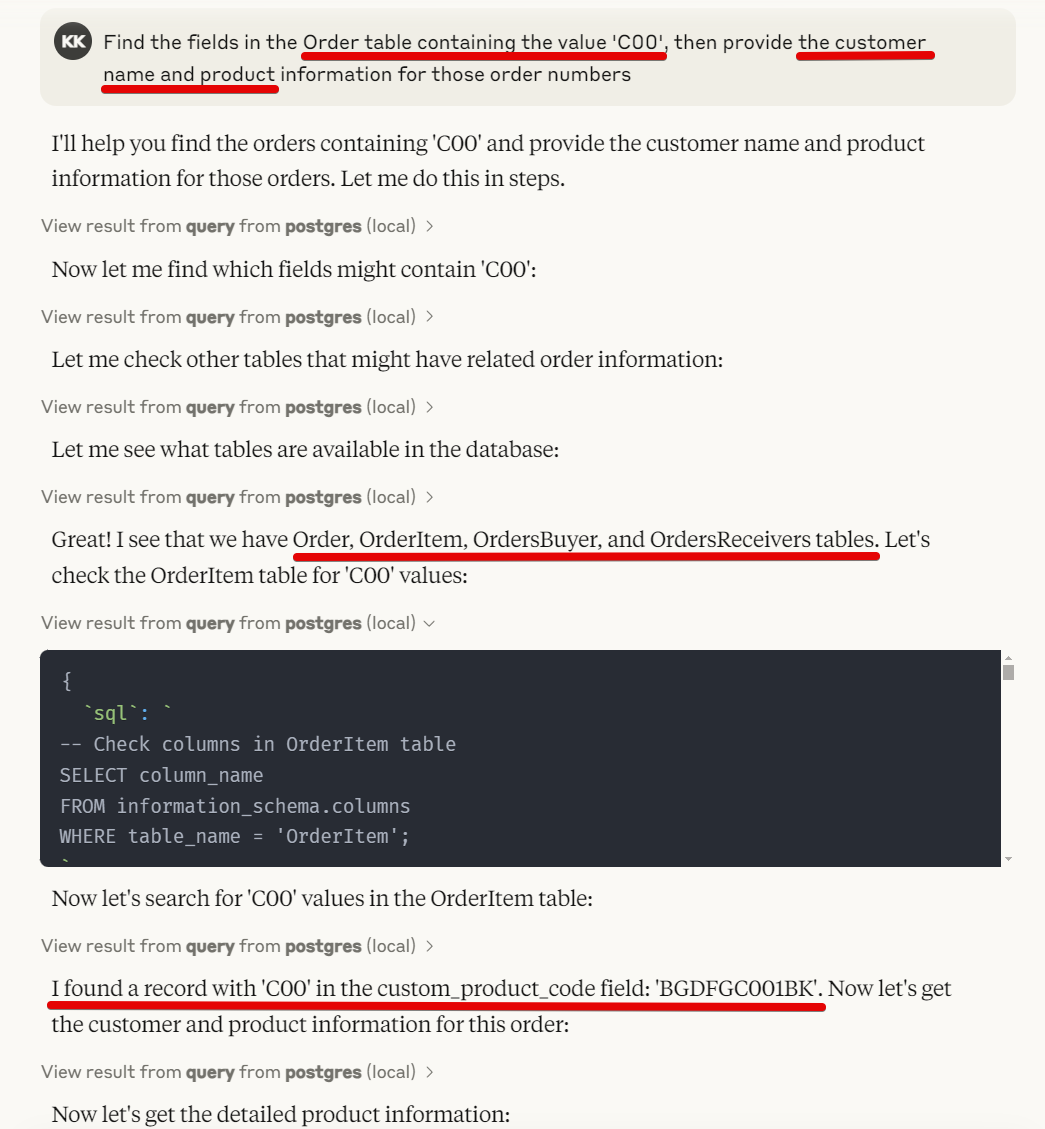
I intentionally formulated a question incorrectly as a test. (I asked about ‘C00’ data in the Order table, when it actually exists in the OrderItem table.) However, through inference, Claude found the OrderItem table and retrieved results by querying related tables (OrderItem, OrdersBuyer, Product, Brand).
That said, I did notice it performed one of the joins incorrectly and retrieved inaccurate data. This serves as a reminder that while AI with database access is powerful, we shouldn’t place too much blind faith in its results without verification.
🏷 Conclusion
I’ve attempted to describe the MCP-related features in as much detail as possible.
I hope this overview helps you understand how to leverage these powerful capabilities to extend Claude’s functionality.
Enjoy experimenting with MCP! (^^);
This essay was originally published on Medium and migrated to KanApp Blog.

Comments
Join the conversation
Sign in to leave a comment.
Comment login is being configured.
No comments yet.