

From Quote to Cash, in One Unbroken Flow — The Story of Building LeanCOO
Four scattered tools, one workflow. AI drafts, humans approve — from first quote to final payment..
Why I built this
If you’ve ever worked as a freelancer, a solo founder, or the lead of a small agency, you know the truth: winning the work is rarely the hard part. Keeping the work running afterward is what wears you down.
Your quotes live somewhere in your inbox and a scratchpad. Your contracts sit in separate Word files. Invoices happen in yet another tool. And approvals? Those happen in your head. You copy the agreed number from the quote into the contract, then read the contract to build the invoice from scratch. By the time you’ve retyped the same figure three or four times, a typo has crept in, something’s been left out, and one receivable has quietly been forgotten.
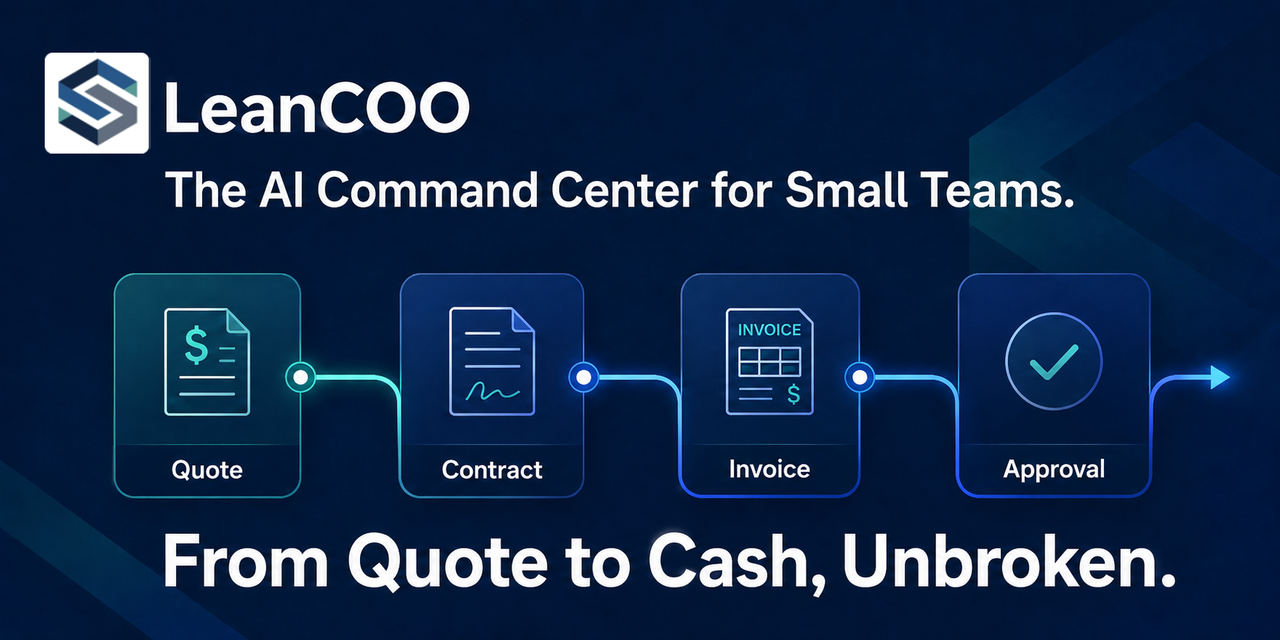
That was the problem I wanted to solve. Not “let AI draft a contract for you” — but a flow where data and context never break across quote → contract → invoice → approval.
That’s what became LeanCOO.
What LeanCOO is, in one line
An AI back-office workspace that connects the entire journey from client inquiry to cash received. Quotes, contracts, invoices, and approvals each inherit the data from the step before.
A general-purpose AI chatbot treats every request like an island. To carry yesterday’s quote into today’s contract, you have to explain everything all over again. LeanCOO works the other way around: each stage automatically inherits the data from the previous one. The quote becomes the basis for the contract; the contract becomes the basis for the invoice.
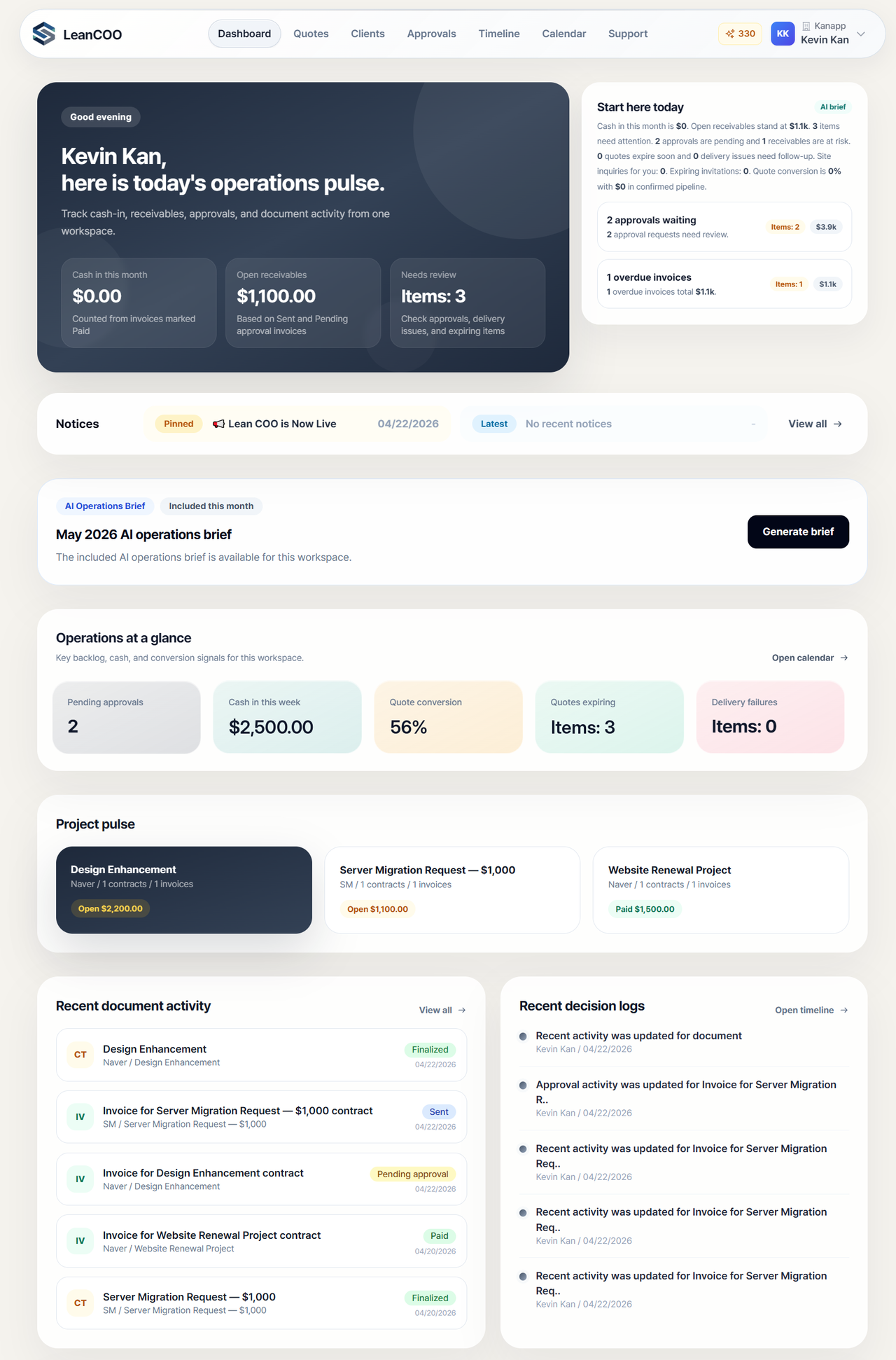
Open the dashboard and you see this month’s cash-in, your open receivables, items that need review, and pending approvals — all in one place. The AI summarizes the one thing that actually matters: what should I do first today.
The operations lifecycle: how it actually works
Stage 01 — Quote
Upload a raw client email or PDF, and the AI extracts the project scope and line items, then auto-calculates standardized budget tiers (Low / Mid / High). You can drop those straight into your quote.
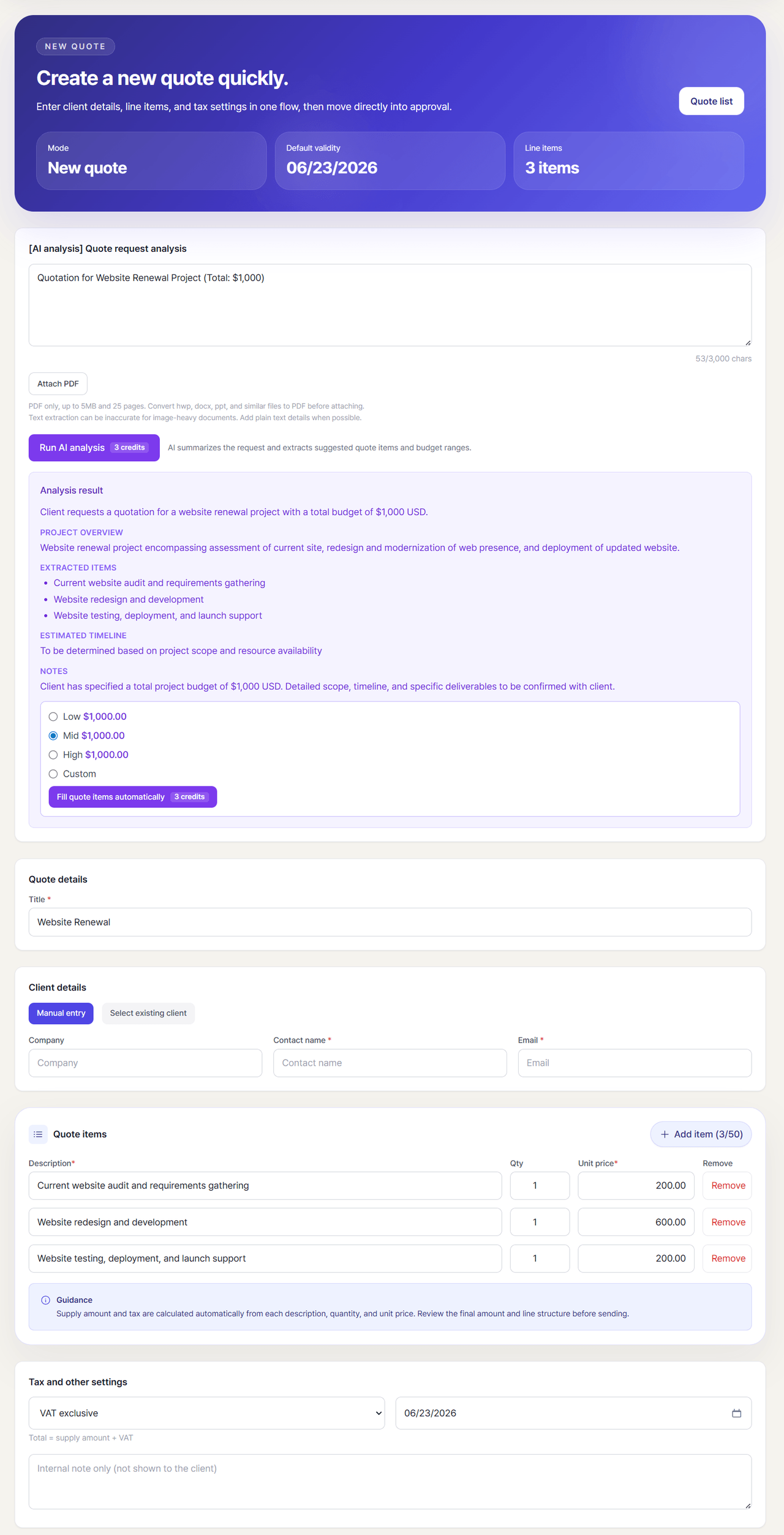
Quoting used to start with copy-paste. Now it starts with tossing in a single request document.
Stage 02 — Contract
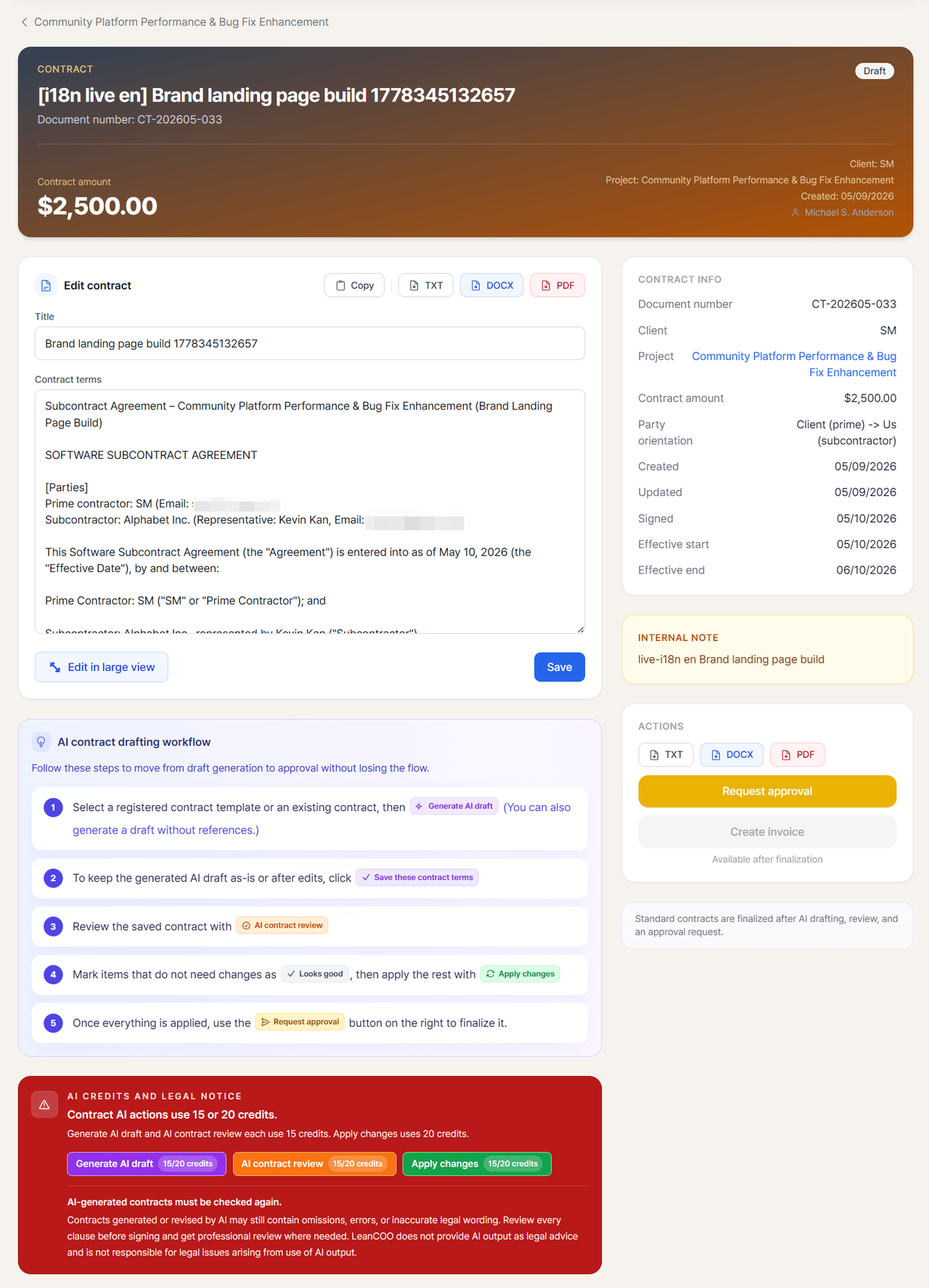
From a template, the AI generates a contract draft — what I think of as “zero-drafting.” But that’s not where it stops. The AI runs a legal risk audit, flagging risky or missing clauses and proposing structural fixes.
For example, it’ll catch things like “the 50% upfront deposit has no refund protection tied to non-performance” or “the liquidated damages amount is deferred and may be unenforceable” — and it shows you exactly which section to change and how.
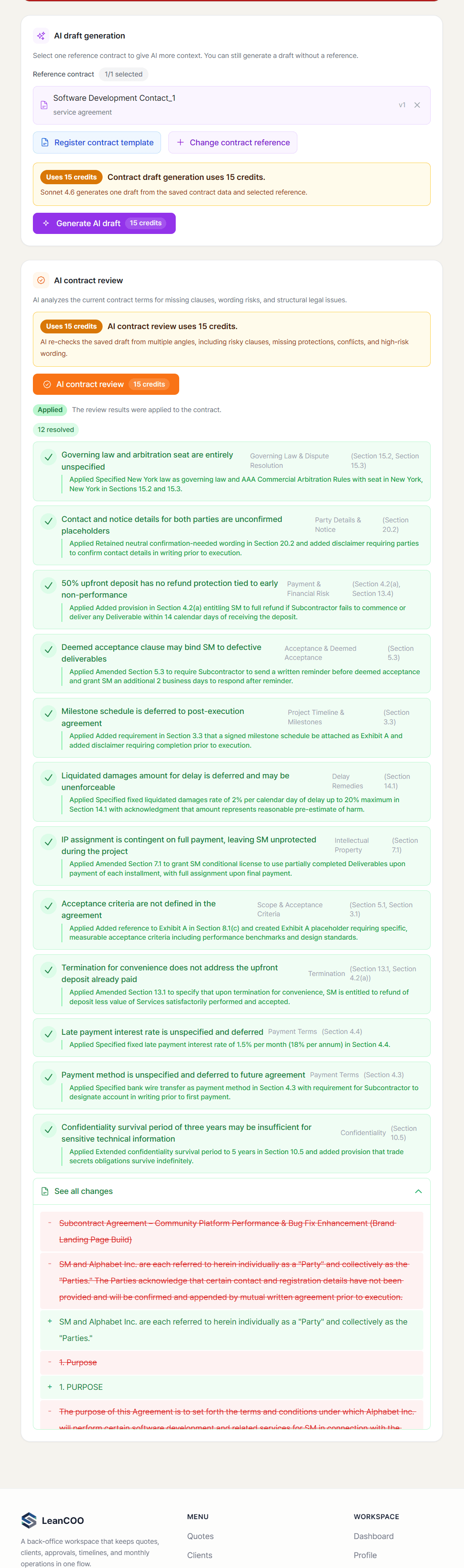
⚠️ One thing I want to be upfront about: AI-generated contracts can contain omissions, errors, or inaccurate legal wording. LeanCOO does not provide AI output as legal advice. Every clause should be reviewed by a human before signing, with professional review where needed. That warning sits right on the screen, not buried in a footer. Honestly, not hiding this got the best response from users.
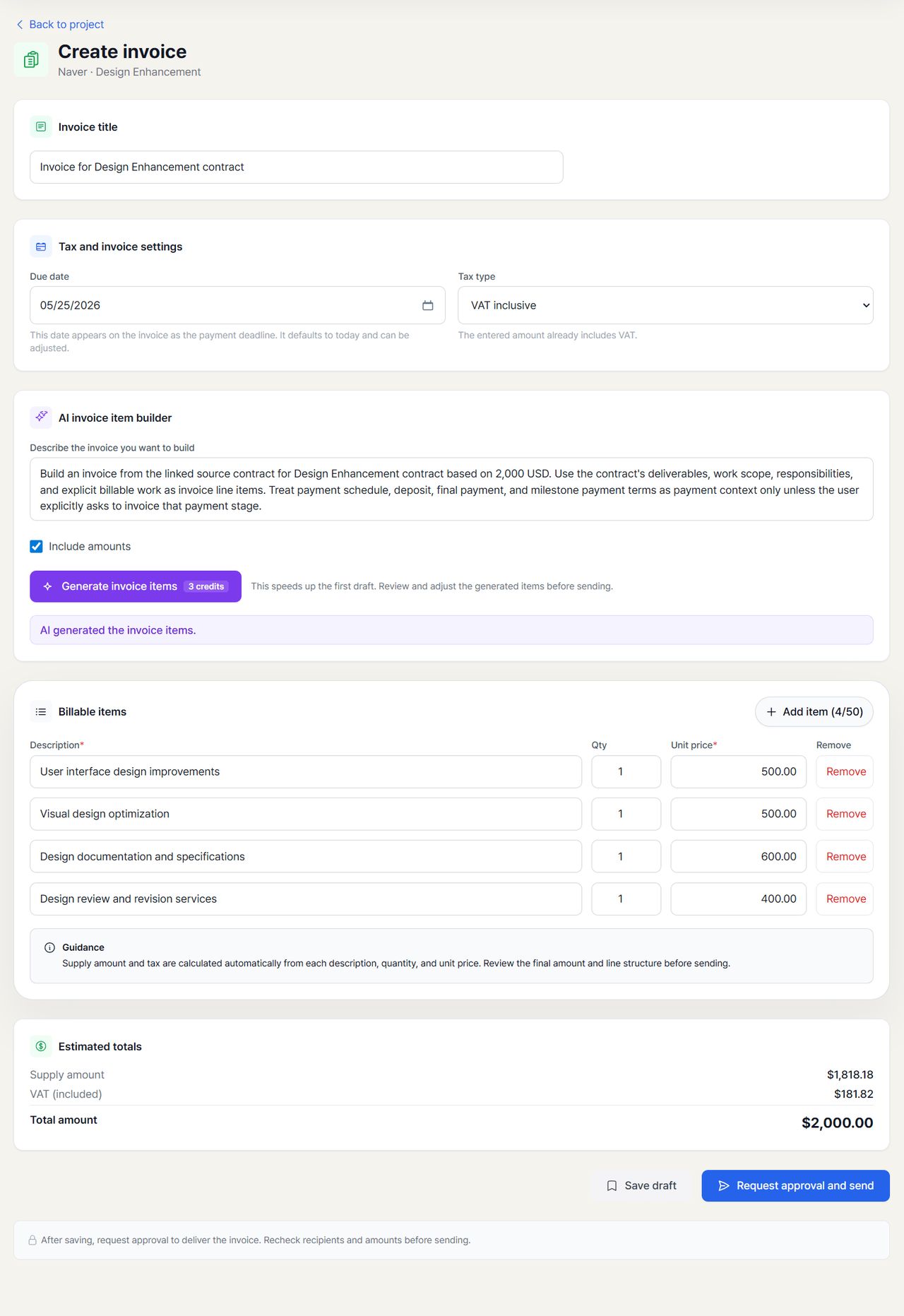
Stage 03 — Invoice
The AI reads the finalized contract’s deliverables, scope, and milestones to build a line-by-line invoice automatically. Payment schedules and deposit/balance terms from the contract are treated as payment context only — only the actually billable work becomes invoice line items.
Stage 04 — Approval
This is where LeanCOO’s philosophy shows most clearly: AI drafts; humans decide. Nothing leaves the company without a person approving it.
Review every contract, invoice, and quote waiting in the approval queue from one screen, and handle each with one click — Approve, Reject, or Approve + email. Documents that have aged into a bottleneck get flagged by the AI (“the oldest has been waiting for 27 days”). Every action is automatically written to an audit trail.
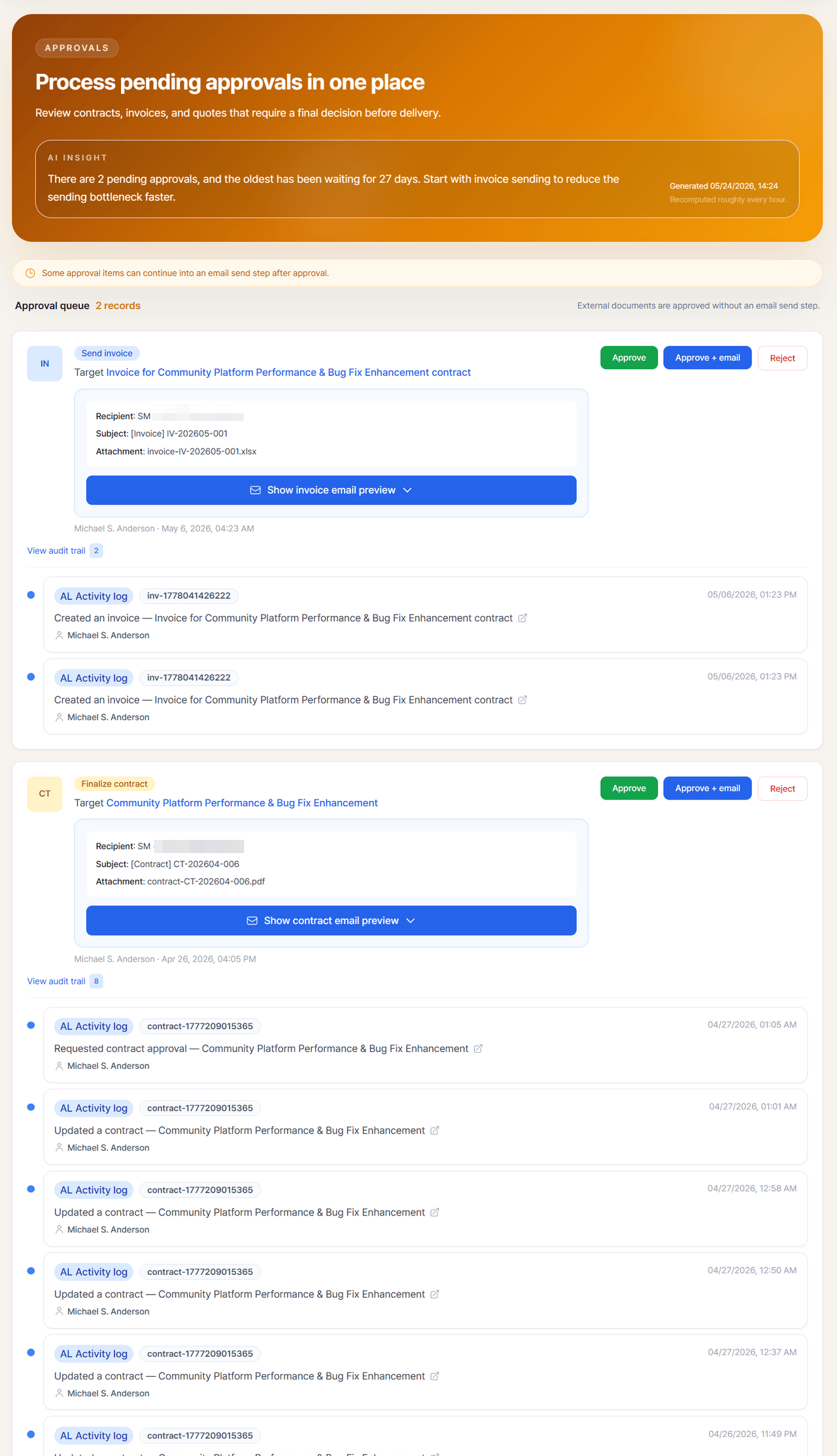
A wrong invoice never gets auto-sent. Refusing blind automation (approval-gated by design) isn’t a limitation here — it’s the point.
A structure that doesn’t scatter: clients, projects, calendar
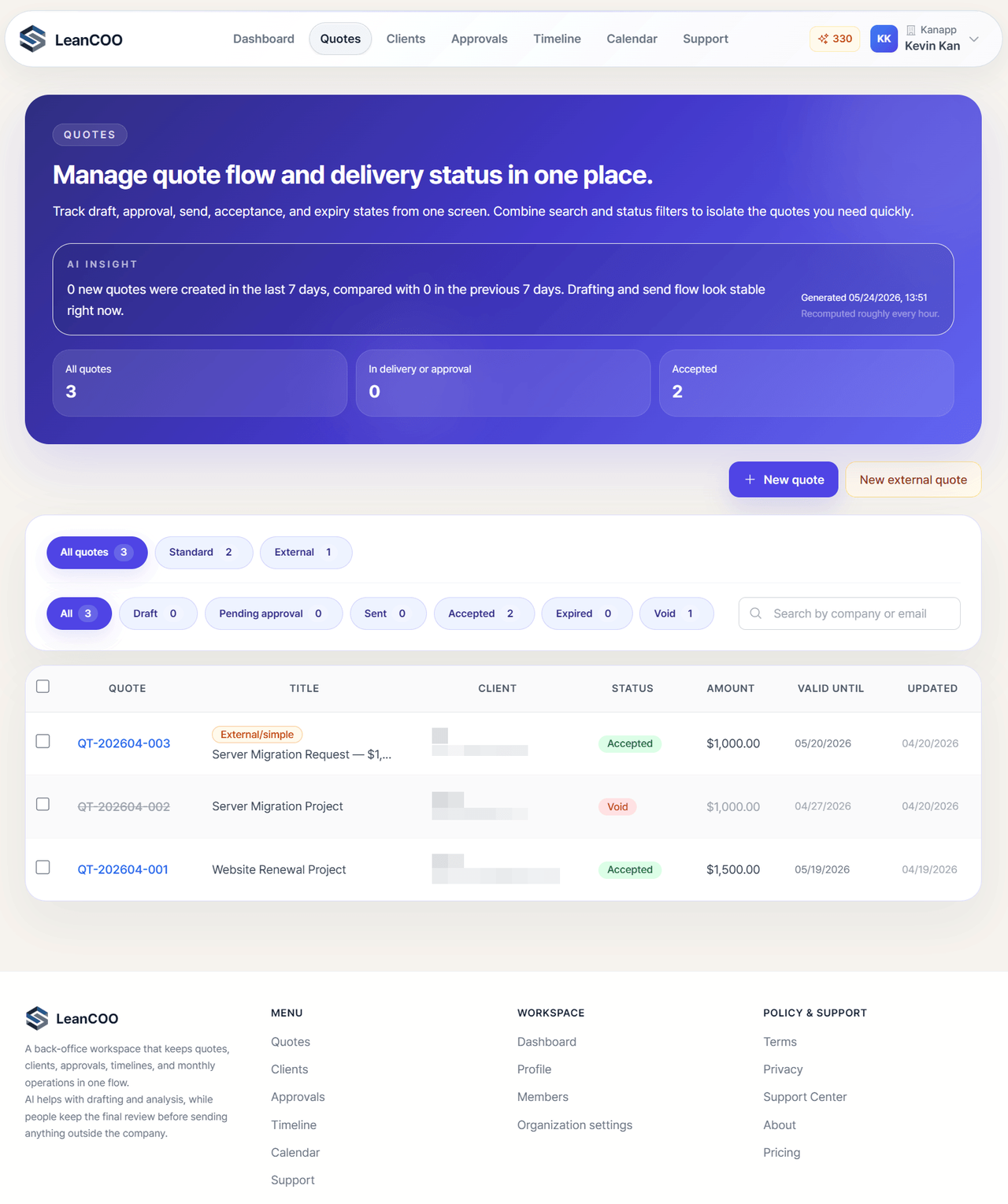
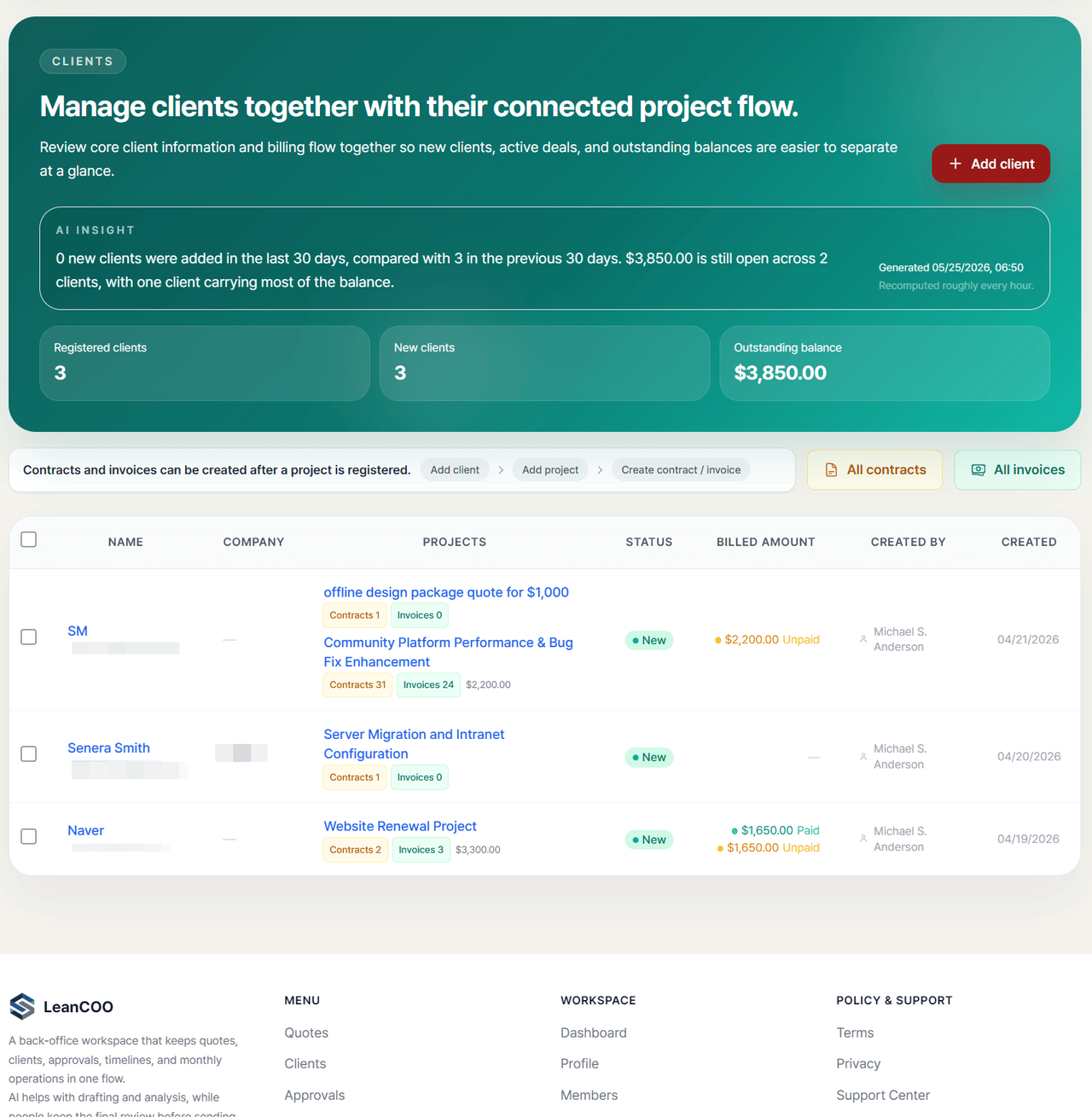
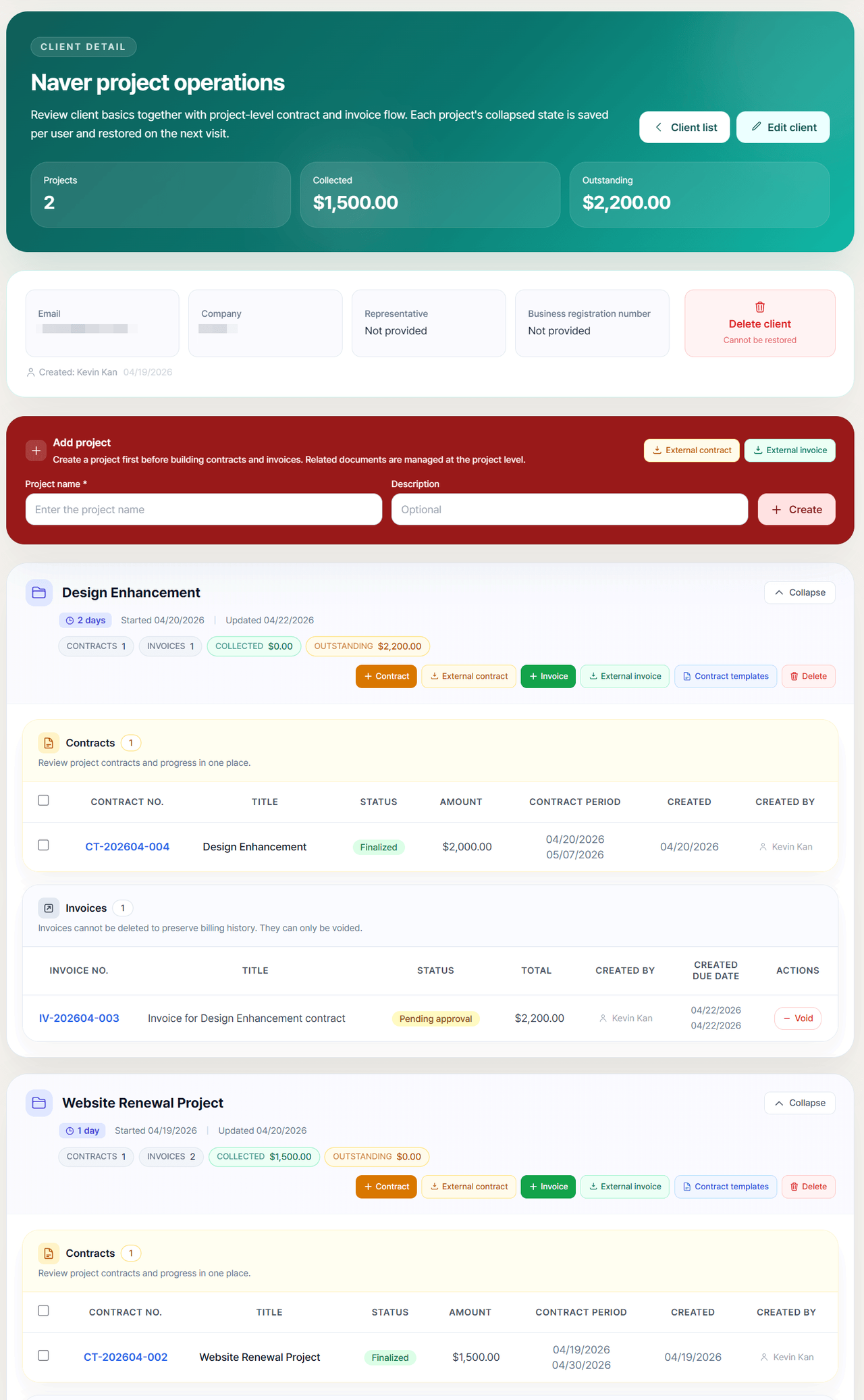
Every quote, contract, and invoice is automatically tethered to its client and project. No hunting through separate folders — a client’s outstanding balance is always in view.
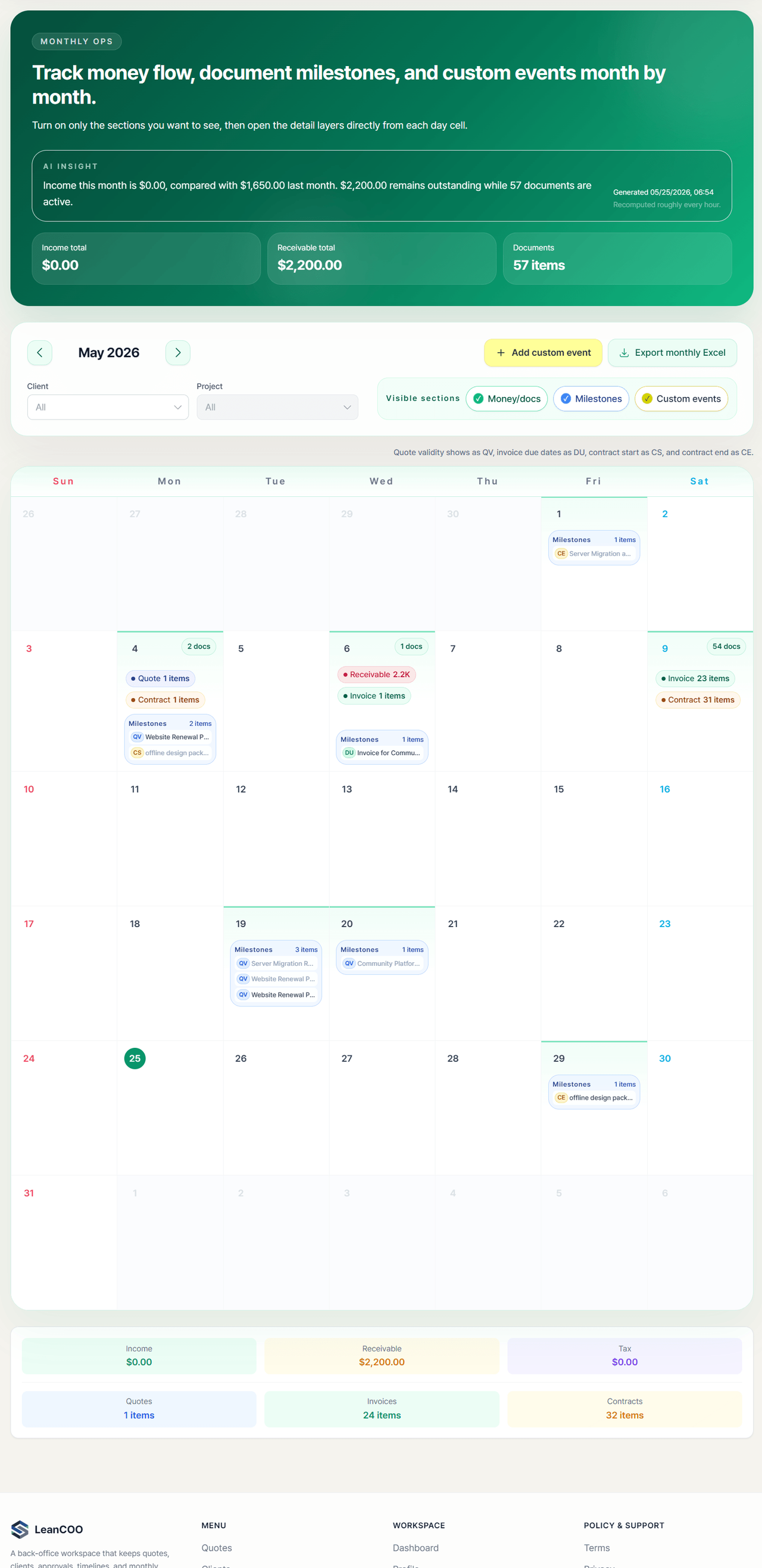
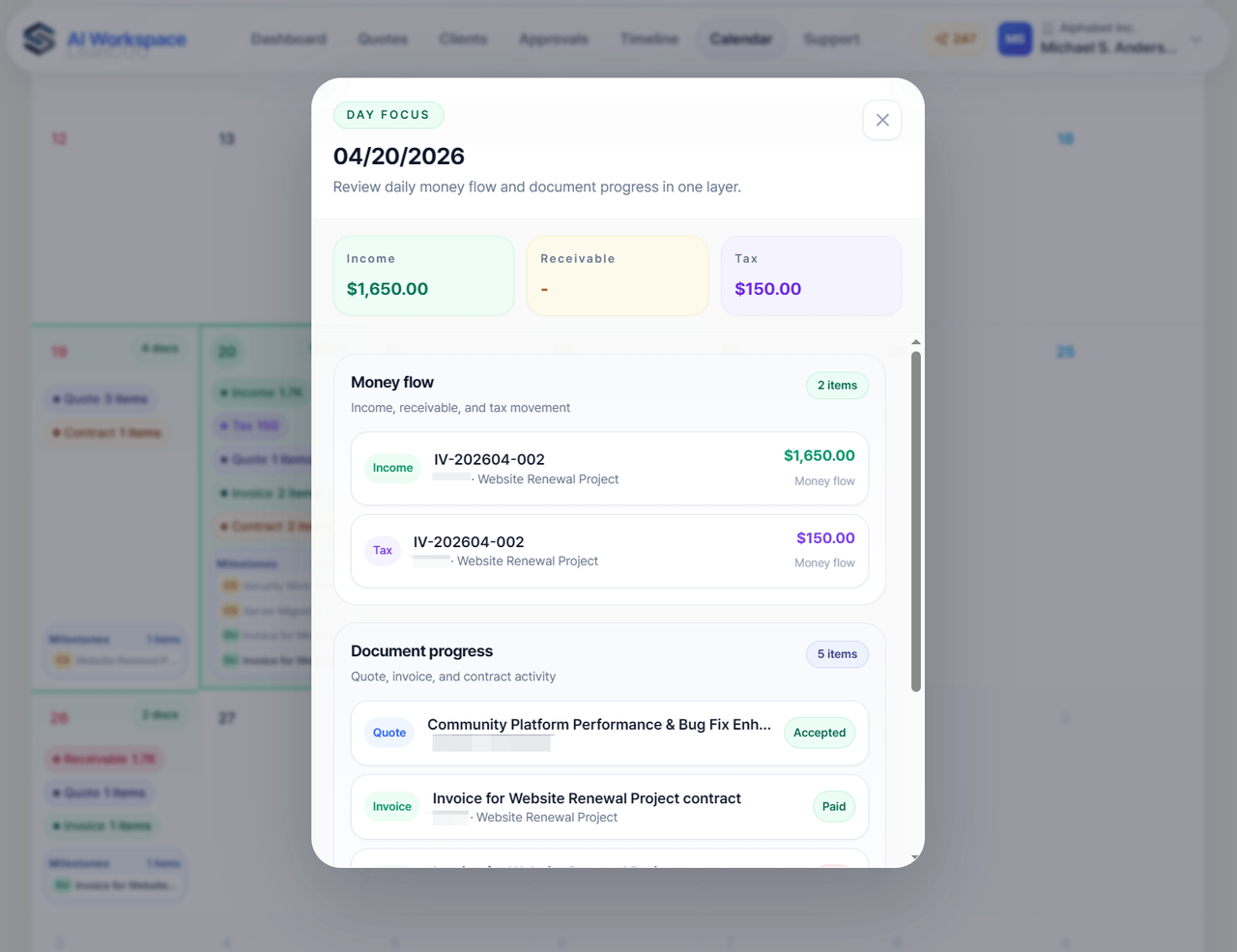
The calendar shows monthly money flow, document milestones, and custom events at a glance. Click any day and it expands into that day’s income, receivables, tax, and document progress.
And the monthly operations brief
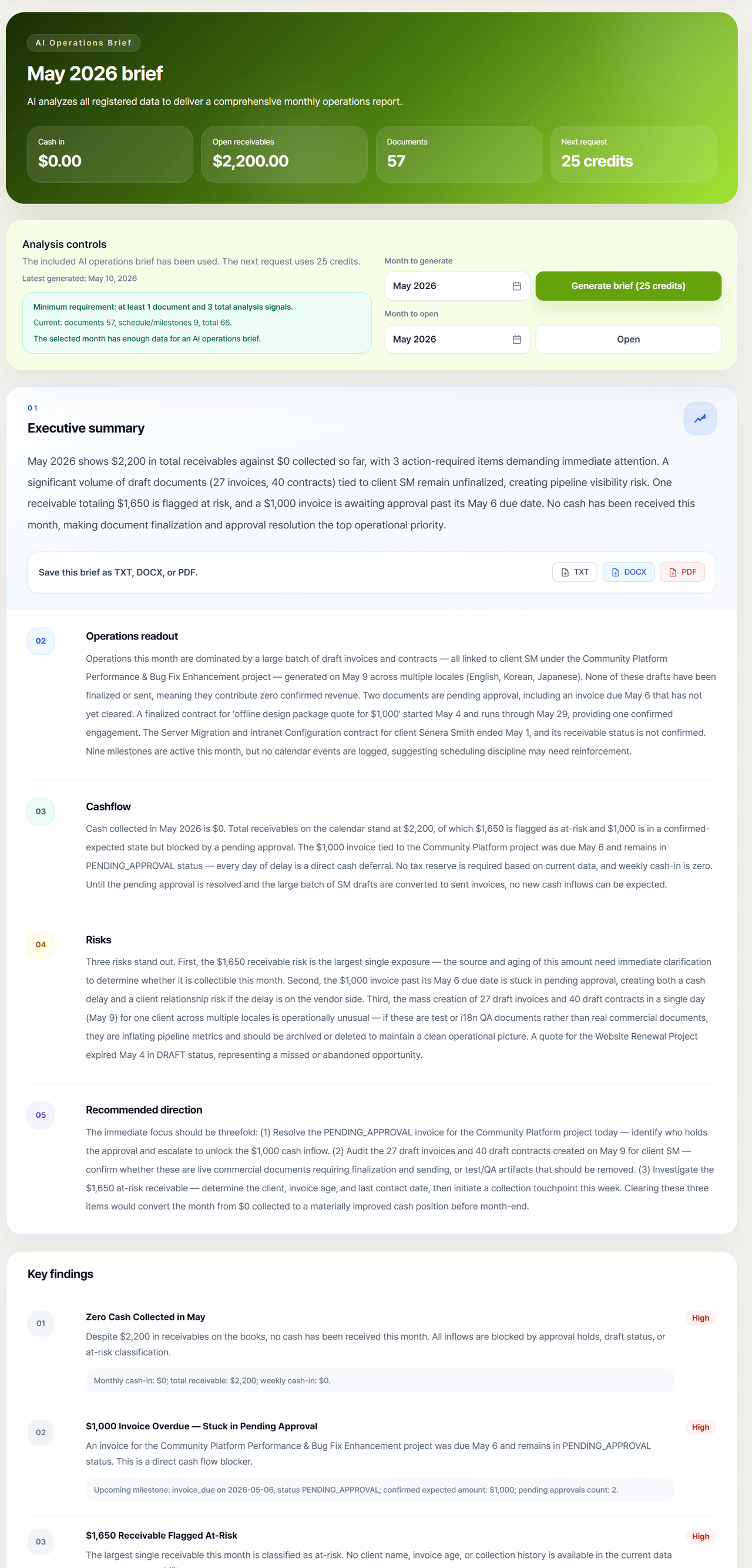
LeanCOO doesn’t just store data — it analyzes everything you’ve registered and writes an executive-level monthly brief. Not just a dashboard, but a written diagnosis: “cash this month is $0 because inflows are blocked by pending approval, and the largest single exposure is a $1,650 at-risk receivable” — followed by a 3-step recommended direction. Export to TXT, DOCX, or PDF.
How I built it (the part for fellow builders)
LeanCOO didn’t start as some grand plan. It began as an entry to the Global 10,000 AIdeas Competition. It made the semifinals, then got eliminated in March. But somewhere along the way I realized I actually wanted to use this thing myself — so I kept building after the elimination and shipped it as a real service.
It runs on AWS, supported by AWS credits. (There’s a write-up on the AWS Builder Center.)
The part of the build I remember most vividly was switching models mid-project.
- Early in the AWS phase, I was vibe-coding with Kiro, mostly using Opus 4.6.
- At a certain point Opus got stuck spinning its wheels on a specific problem, so I switched to Codex.
- My biggest worry during the switch was “will the existing code break?” So I had Codex analyze the codebase first — which took far longer than I expected.
- After that I kept things consistent and have been building steadily since.
The insight I took away: the real cost of switching models mid-project isn’t the learning curve — it’s the code handoff between models. Picking up how to use a new model is quick. Handing the new model the full context of an existing codebase is what eats your time.
Where it stands today, and the honest limits
It might seem odd to list limitations in an intro post — but you’d find these out the moment you tried it, so I’d rather say them now.
- Languages: English, Korean, Japanese, Spanish (4)
- Currency: set once in your profile and it applies everywhere. Choose from USD / KRW / JPY / EUR / BRL.
- No automatic exchange-rate conversion yet. This isn’t a bug — it’s a deliberate hold. Currency conversion is one of those areas where getting it slightly wrong throws off the numbers and loses trust, so I’d rather wait until it’s done right than ship it half-baked. (Roadmap: convert other currencies into your base currency on input.)
- Pricing: free, for now.
Closing
Two principles mattered most to me while building LeanCOO:
- Continuity — the numbers and context should never break between stages.
- The human keeps the final call — AI handles drafting and analysis; a person reviews before anything goes out.
The goal is to take the time you spend managing documents and let you spend it directing operations instead.
If you want to try it — it’s free right now.
🔗 Product walkthrough: https://www.leancoo.com/about
Feedback is always welcome. The question I like most is “why did you build it this way?”
This essay was originally published on Medium and migrated to KanApp Blog.

Comments
Join the conversation
Sign in to leave a comment.
Comment login is being configured.
No comments yet.