

Logitech Mouse Comparison: 5 Models
G502 vs MX Master: Which Logitech Saved a Developer’s Wrists? My Journey Through Five Mice to Find the Perfect One.
I’d like to share my thoughts after using the MX Master series and G502 series mice. As a developer who uses a mouse almost all day long, I find myself using the mouse quite frequently these days, even though I should be using the keyboard more often!
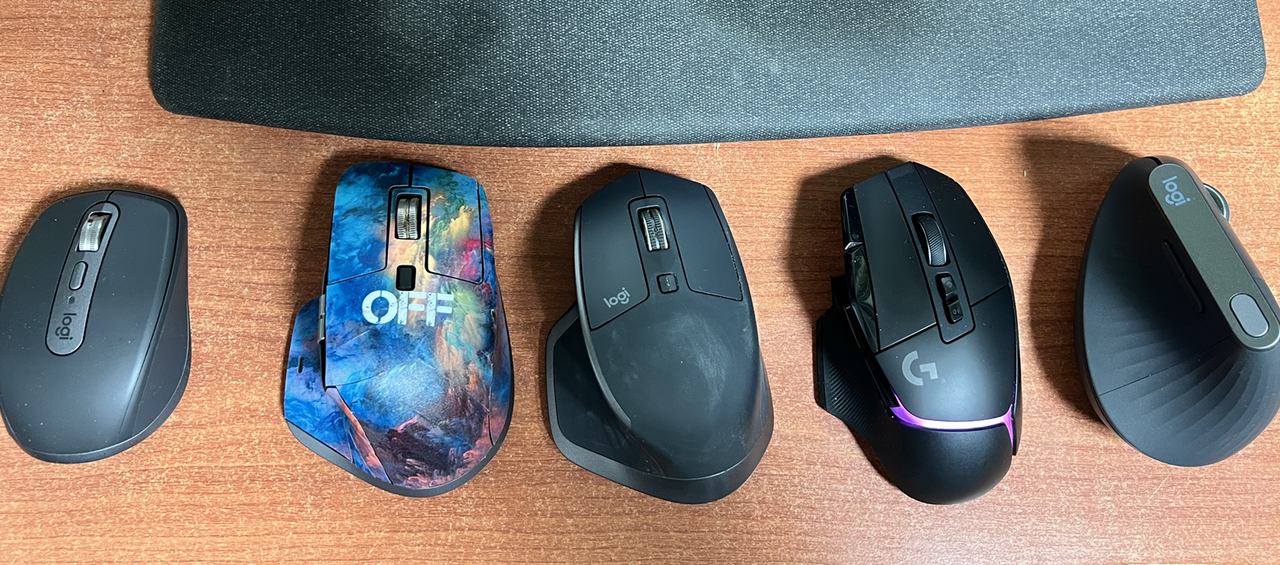
From left to right in the image:
- MX Anywhere 3
- MX Master 3 for Mac
- MX Master 2S
- G502X Plus
- MX Vertical
MX Anywhere 3
This mouse allows switching between up to three devices and I mainly carry it around as a portable option for my MacBook. It’s just a decent, compact mouse with no particular standout features or drawbacks.
MX Master 3 for Mac
This is my main mouse and the one that introduced me to the MX Master series. I previously used Logitech’s G series but switched to the MX Master due to chronic left-click issues with the G series.
It also supports up to three devices and is particularly convenient when using Windows and MacBook in clamshell mode with a single device. It has a satisfying weight to it, and the infinite scroll wheel feels absolutely fantastic. After using this mouse, other scroll wheels feel like toys in comparison.
However, after about a year of use, the thumb rest and palm areas develop a sticky feeling, which becomes particularly bothersome during summer. I’m currently testing it with a cover to address this issue. Fortunately, I haven’t experienced any left-click malfunctions.
MX Master 2S
Due to the stickiness issues with the MX Master 3, I decided to try the 2S instead of the 3S, thinking its different side design might be less prone to sweat and stickiness. I used it as my main mouse for a year.
The weight and infinite scroll wheel feel virtually identical to the MX Master 3, with no noticeable differences. The main distinction is that it uses a micro-USB charging port instead of USB-C.
After about a year of use, I noticed the same stickiness developing. The white areas in the photo appeared after cleaning with alcohol wipes. The cleaning did improve the situation somewhat.
G502X Plus
After confirming the stickiness issues with the MX Master series, I returned to the Logitech G series, which I had previously abandoned due to left-click problems. I remembered that at least it didn’t have stickiness issues.
However, the click feel and scroll wheel simply can’t compare to the MX Master. It feels noticeably lighter, and the scroll wheel is truly disappointing. Before using the MX Master, I wouldn’t have noticed, but afterward, it constantly feels like a toy in comparison.
Also, the MX Master slightly tilts your wrist with its higher left side. The discomfort I felt when switching back to the G502 confirms that the MX Master is definitely more ergonomic for the wrist.
Due to the inferior scroll wheel and lightness, I’m currently testing the MX Master 3 again with stickers applied to combat the stickiness. I’m contemplating whether to buy the MX Master 3S, though I’m concerned it might develop the same stickiness issues.
MX Vertical
This is the model I used before transitioning from the G series to the MX Master series. When the G series clearly started causing wrist strain, I debated buying the Vertical and eventually did.
It’s adequate for general use, but I constantly felt that the pointer movement didn’t quite match my intentions, and the scroll wheel isn’t infinite, which ultimately led me to abandon it. I then tried the MX Master series, thinking its slightly elevated wrist position might be more comfortable.
Looking back now, I realize I haven’t thought about the Vertical once while using the MX Master series, which suggests the MX Master truly is easier on the wrist. While using the G series, I frequently considered switching to the Vertical due to intermittent wrist pain.
My Mouse Journey
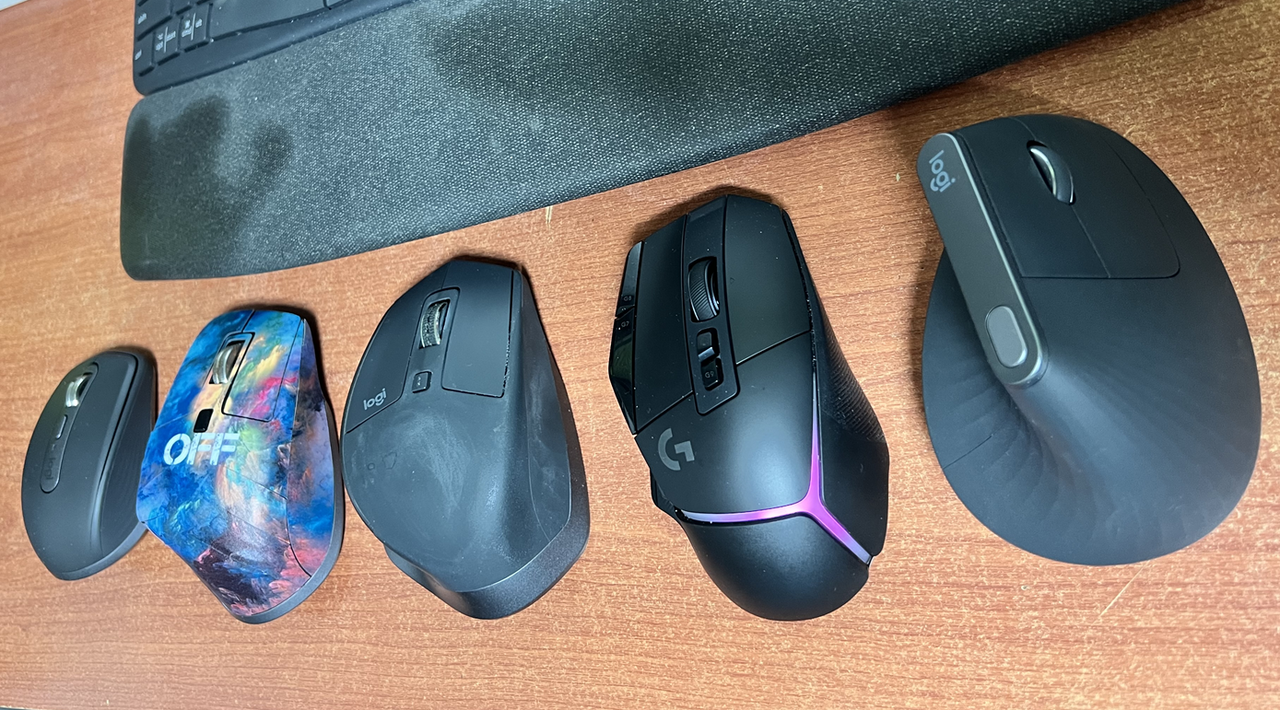
My progression through different mice looks like this: G502 (left-click malfunction) → G502 SE (left-click malfunction) → MX Vertical (unnatural movement feel) → MX Master 3 (stickiness) → MX Master 2S (stickiness) → G502X Plus (too light) → MX Master 3 (current)
I should mention that I don’t use these mice for gaming (I only game on PlayStation).
There’s virtually no difference between the MX Master 3 for Mac and the MX Master 3. The user experience is essentially identical.
Currently, I’ve settled back on the MX Master 3. I’m most satisfied with its overall performance and wrist comfort.
If you’re looking for a new mouse, I hope this provides some helpful insights!
After going through numerous mice, I’ve ultimately returned to the MX Master 3. I hope you too find your ‘destined mouse’ and enjoy coding without wrist pain. Remember, a good mouse and keyboard contributes to good code!
This essay was originally published on Medium and migrated to KanApp Blog.



Comments
Join the conversation
Sign in to leave a comment.
Comment login is being configured.
No comments yet.