

Building a Cloud Server Management MVP with Vibe Coding
How I burned 100M tokens to build a chat-based server controller in 7 days
I recently participated in a hackathon, and I’d like to document the development process here.
This project required the use of an AI Coding Assistant, so I decided to embrace vibe coding as much as possible. The entire build took approximately 7 days, and I’ll be sharing the challenges I encountered along the way, how I solved them, and the overall development journey.
Note: I’ll be using a casual tone throughout this post.
Introduction
This hackathon was tied to specific platforms — essentially, it was heavily promotional in nature.
Using LiquidMetal AI’s Raindrop Platform was mandatory, Vultr infrastructure integration was required, and development had to leverage an AI Coding Assistant (either Claude Code or Gemini CLI). Honestly, it was clear they wanted to showcase AI-assisted development speed, which is exactly why I went with vibe coding.
Since I joined the Voice Agent track, ElevenLabs integration was also required. The end result was an MVP that ties together Raindrop + Vultr + ElevenLabs to manage cloud servers through a chat interface.
In this post, I’ll walk through how I rapidly built an MVP using vibe coding and the problems I encountered along the way.
The Final Result
Here’s what I ended up with:
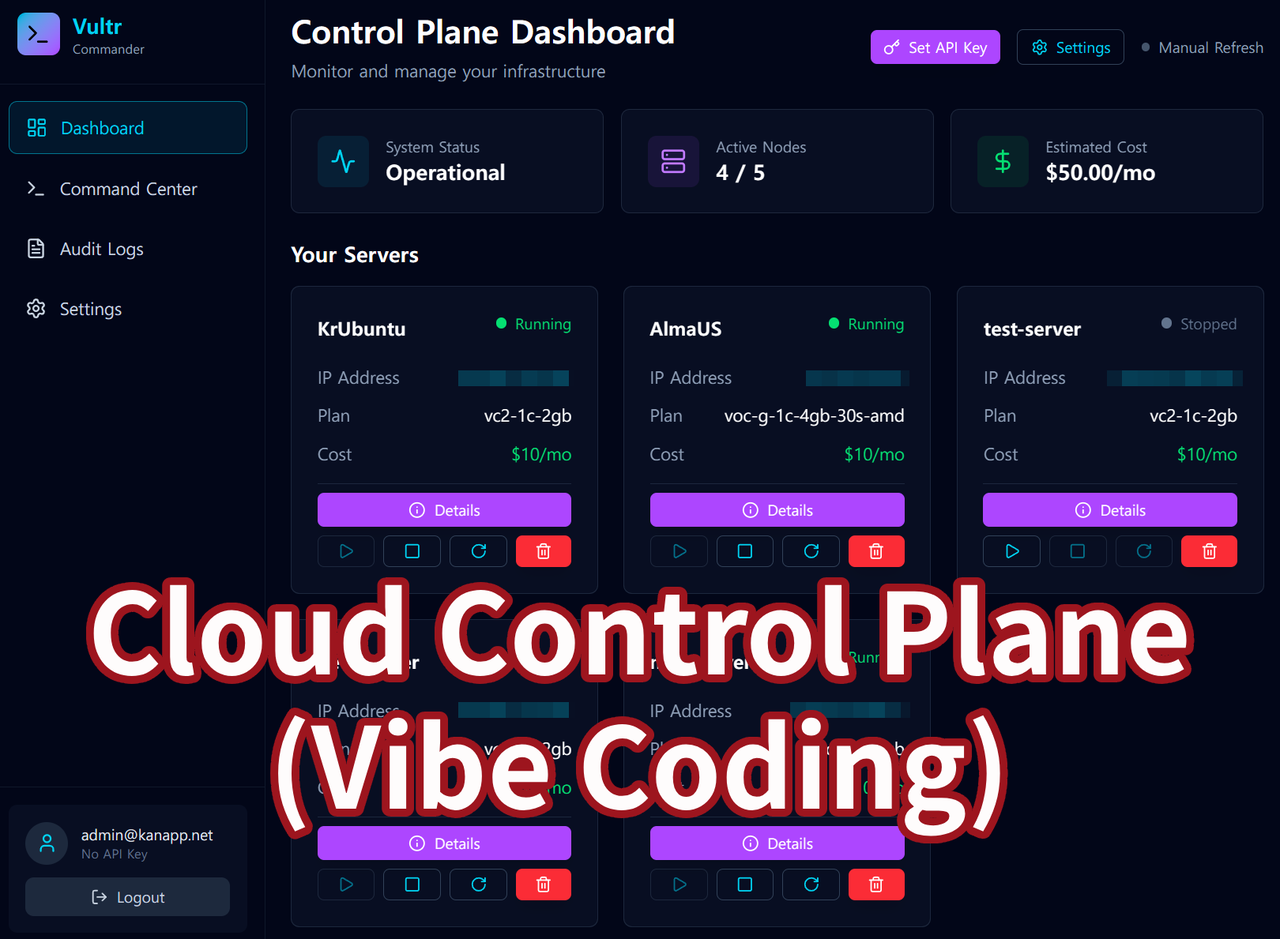
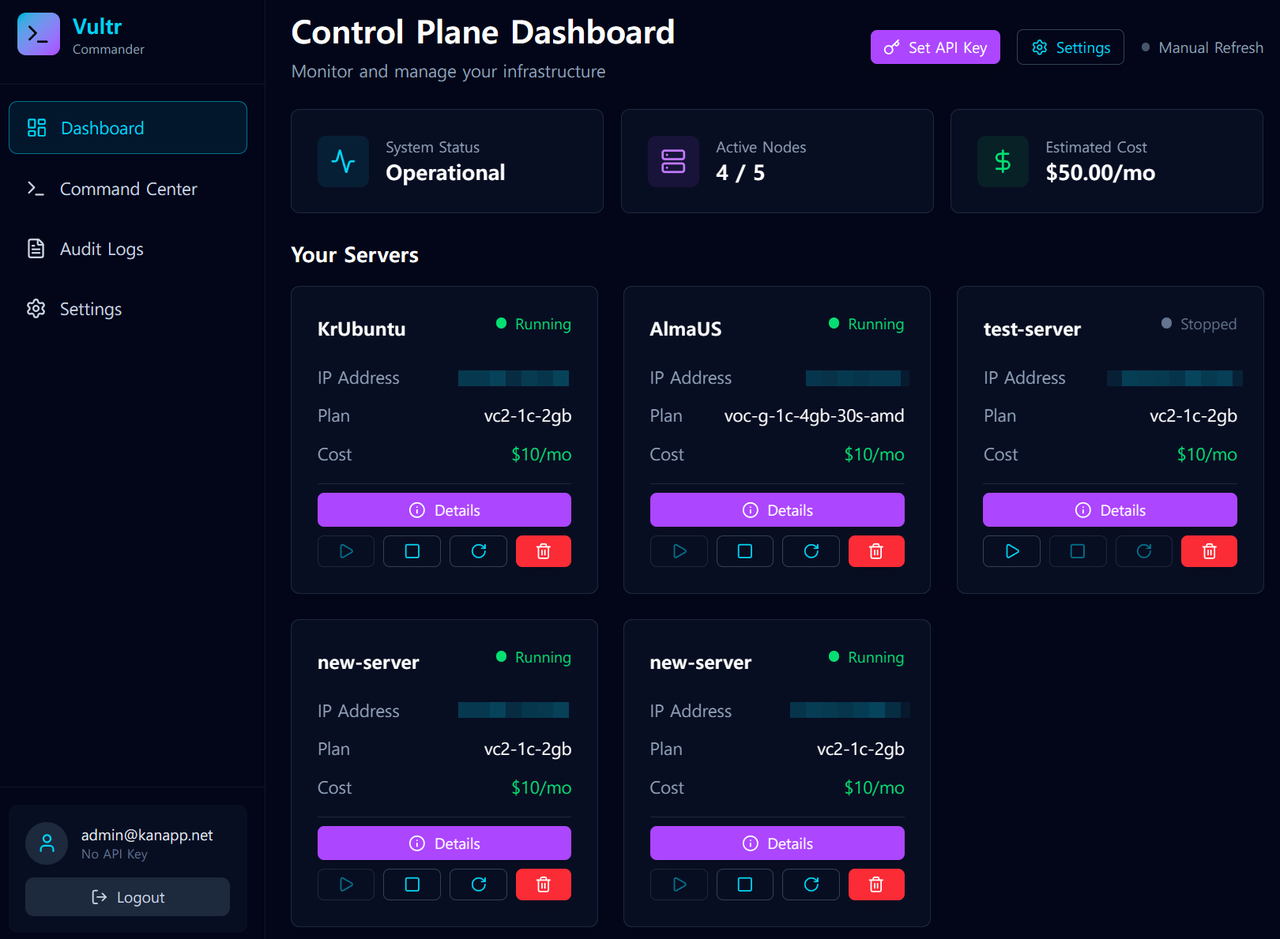
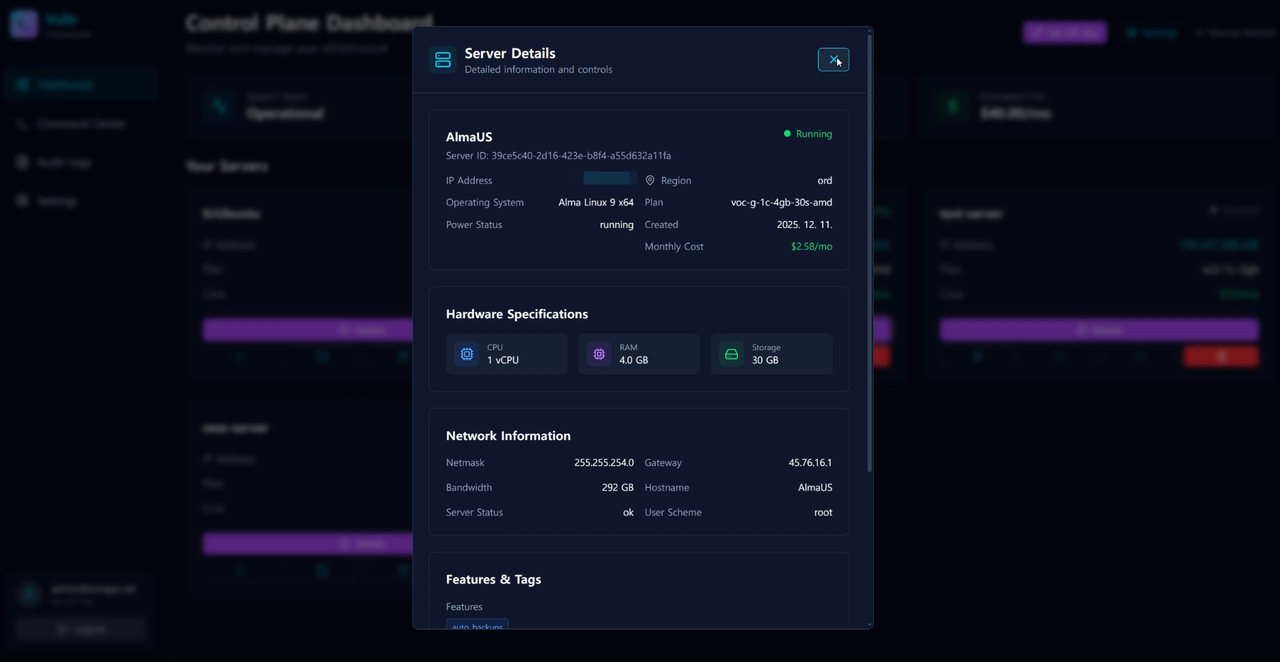
The Dashboard allows mouse-based control of cloud servers — start, stop, restart, and delete operations are all available. It displays server status at a glance, and clicking on details fetches comprehensive server information via the API.
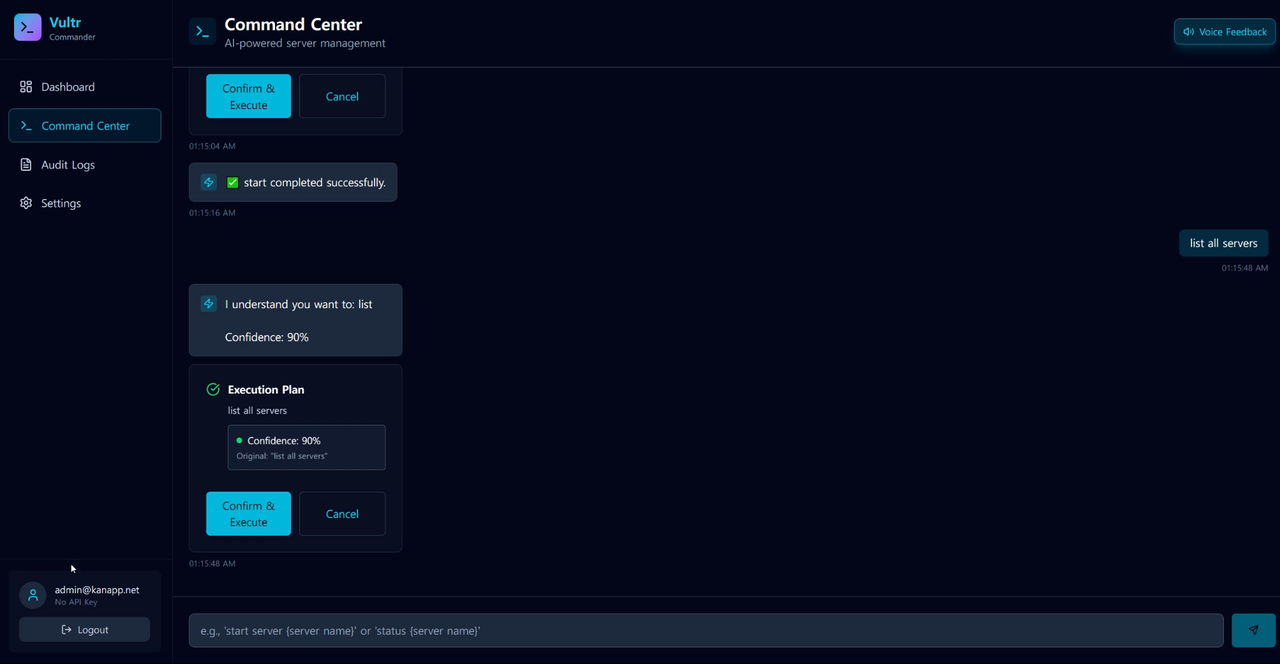
The Command Center enables server control through chat-based commands.
Platforms and Tools Used
- Required Platform: LiquidMetal AI’s Raindrop Platform
- Required Infrastructure: Vultr Services (minimum 1 integration)
- Development Tools: Cursor + Claude Code + Raindrop Code
- Voice: ElevenLabs
I received $500 in credits each from Raindrop and Vultr to get started. Note that Vultr required credit card registration.
For those unfamiliar with Raindrop: it’s a serverless platform for hosting backend applications. It doesn’t directly integrate with the Vultr API — rather, it deploys and runs your application that calls Vultr. Think of it as a newcomer hosting platform similar to Vercel or AWS Lambda.
Vultr, in this context, serves as the managed cloud servers (comparable to EC2 instances).
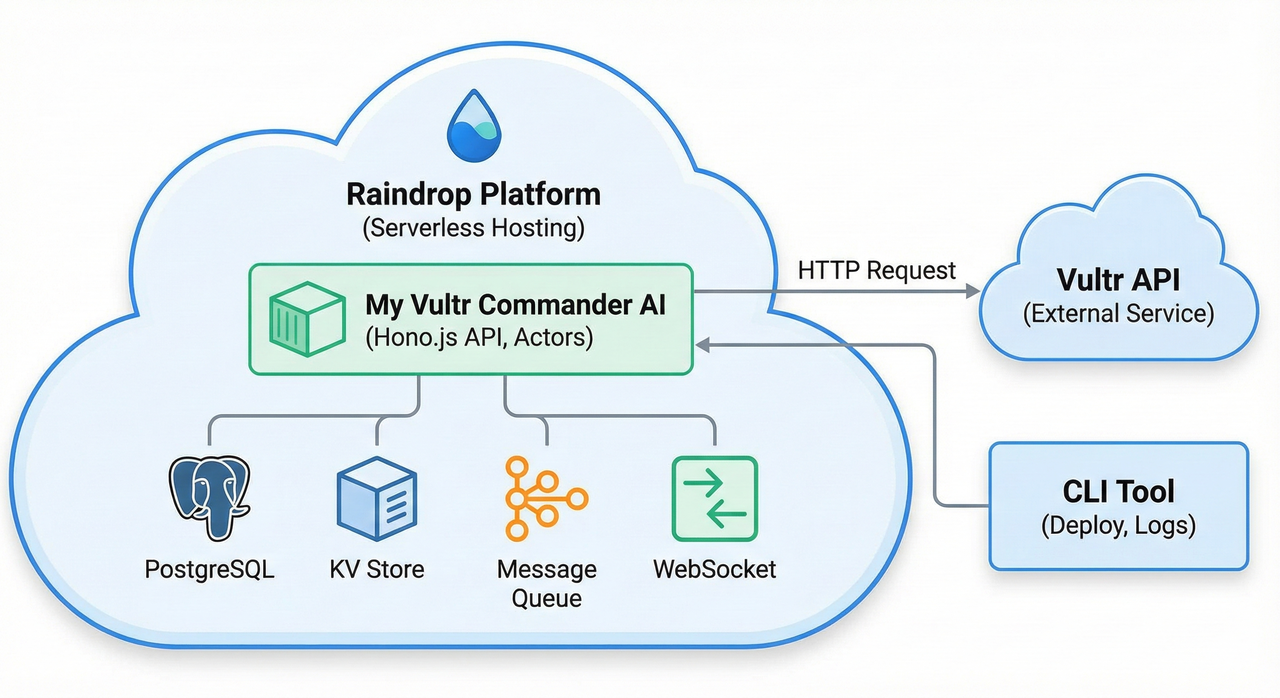
What I Built
Backend Structure with raindrop-code
To use the Raindrop platform, you first need to run the raindrop-code command, which handles the initial setup.
Raindrop Code (an AI agent) generates the initial project structure (scaffolding). This agent is specialized for the Raindrop platform, helping with infrastructure setup, deployment, and management based on the Raindrop Framework.
Since this agent fully understands Raindrop’s internal architecture (Actors, SmartSQL, etc.) and workflows, running it at the start is essential.
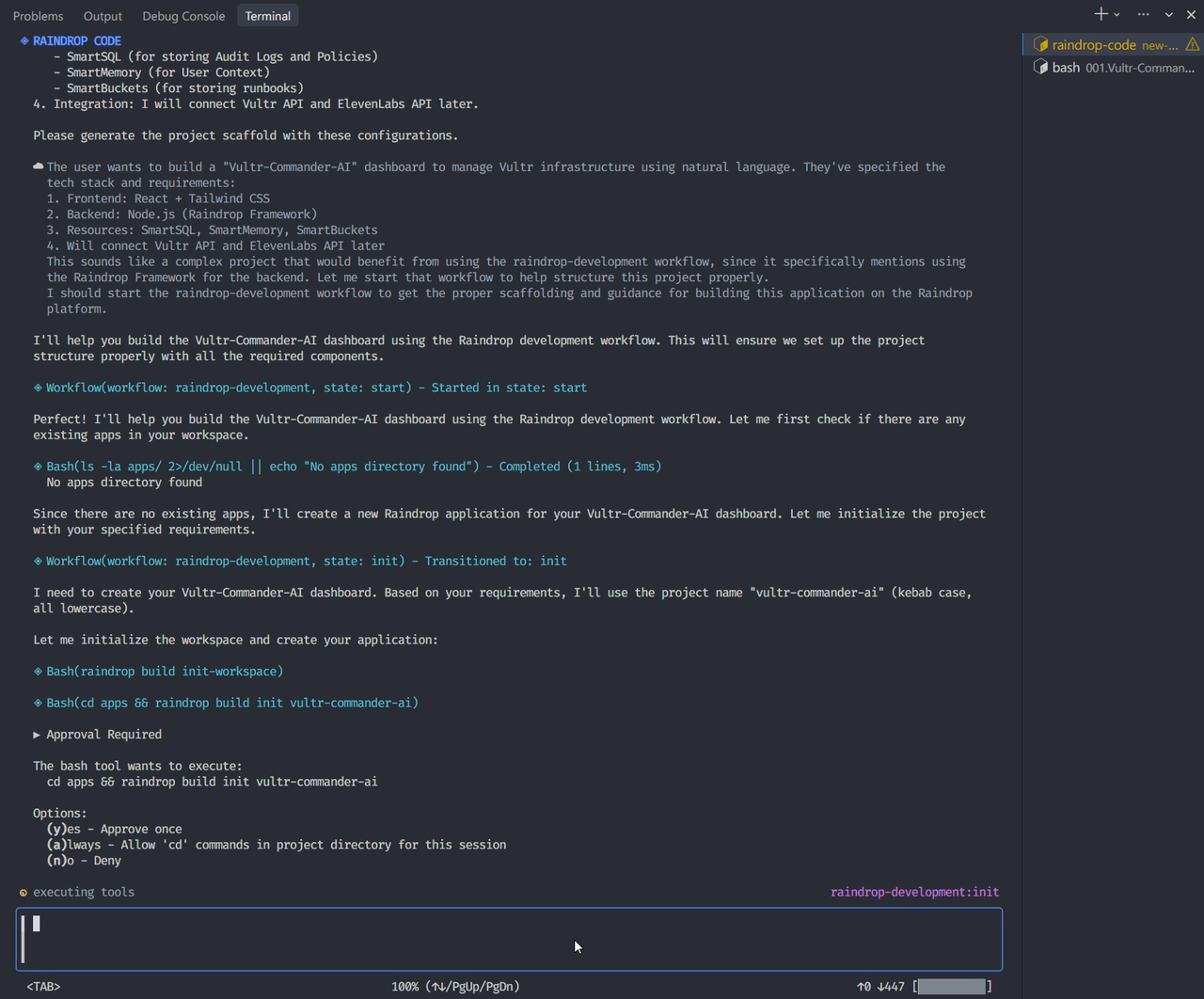
Here’s the generated backend directory structure:
├── _app                  # Global settings (Auth, CORS, etc.)
├── api-service           # API entry point and routing (Hono.js)
├── server-manager        # Server control and NLP processing logic, Vultr API calls (Actor)
├── server-task-processor # Async task processing (Observer)
├── shared                # Common utilities and libraries
├── user-manager          # User authentication and session management (Actor)
└── websocket             # Real-time status update handling
For the backend, you essentially have to keep using raindrop-code to work with the Raindrop platform. One notable limitation: it can't properly handle anything outside of Raindrop. In other words, it's less capable than other agents, so be careful. I suspect this is why they emphasized using the agent in the first place.
Warning: If TypeScript errors occur during deployment, it spews out an overwhelming amount of errors.
To compensate for these limitations, I used Claude Code alongside it.
Frontend Structure
The frontend was straightforward: React + Tailwind + Vite. The key was paying attention to the UI and API integration.
One notable change: initially, I planned to handle all communication in real-time, but for security and stability, I ended up with a clear separation of responsibilities:
- Real-time Monitoring (WebSocket): Server state changes (turning on/off) are pushed immediately via WebSocket
- Control and Execution (REST API): Commands and external Vultr API communications use stable HTTP REST APIs (proxy) to resolve CORS and security issues
I built a system called Command Center where you can enter natural language-style commands in a chat interface to manage Vultr servers.
Supported commands:
list all servers
start server test-server
stop server test-server
status test-server
details test-server
create server web-server
delete server test-server
Honestly, these commands follow a standardized pattern. Calling it “natural language processing” would be generous — it’s closer to simple string parsing. Integrating actual AI-based NLP would enable much more flexible query analysis, but I didn’t see the need to connect external APIs for this scope. In the future, it could easily be improved by integrating an LLM to analyze queries and convert them into appropriate commands.
Developing with Vibe Coding
For this project, using raindrop-code was unavoidable if I wanted to work with the Raindrop platform.
I’m not sure if deploying to the platform is even possible without this agent, but without it, things would have been incredibly complex and would have taken several times longer. (That said, it definitely helped with setting up the Actor structure, API routing, and basic CRUD logic.)
However, since it’s an agent specialized for Raindrop, there were quite a few inconveniences. Think of it as an early-stage CLI agent:
- No cancellation during prompt execution. Once it starts generating code in the wrong direction, you can’t stop it. You can only terminate the session.
- No context persistence between sessions. After terminating and restarting, it has no memory of previous work, so you have to explain everything from scratch.
- As a result, overall usage costs ended up being higher than expected.
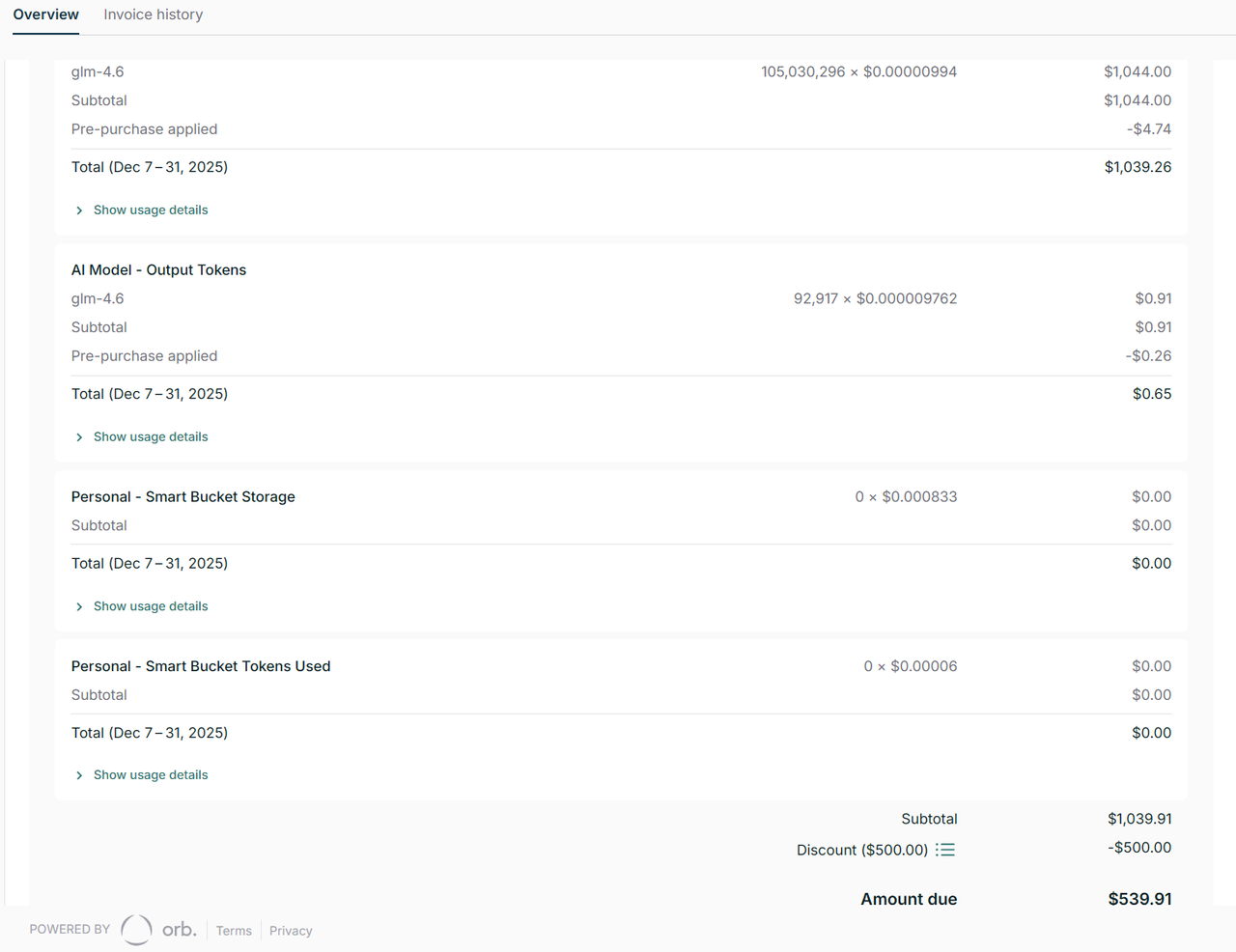
While $500 was provided as credit, the total exceeded $1,000, leaving about $500 to be billed.
Of course, I didn’t pay this amount. I’m sharing this to illustrate how costs can add up. (Admittedly, I was unfamiliar with raindrop-code early on and threw queries at it somewhat haphazardly, but the costs still felt excessive.)
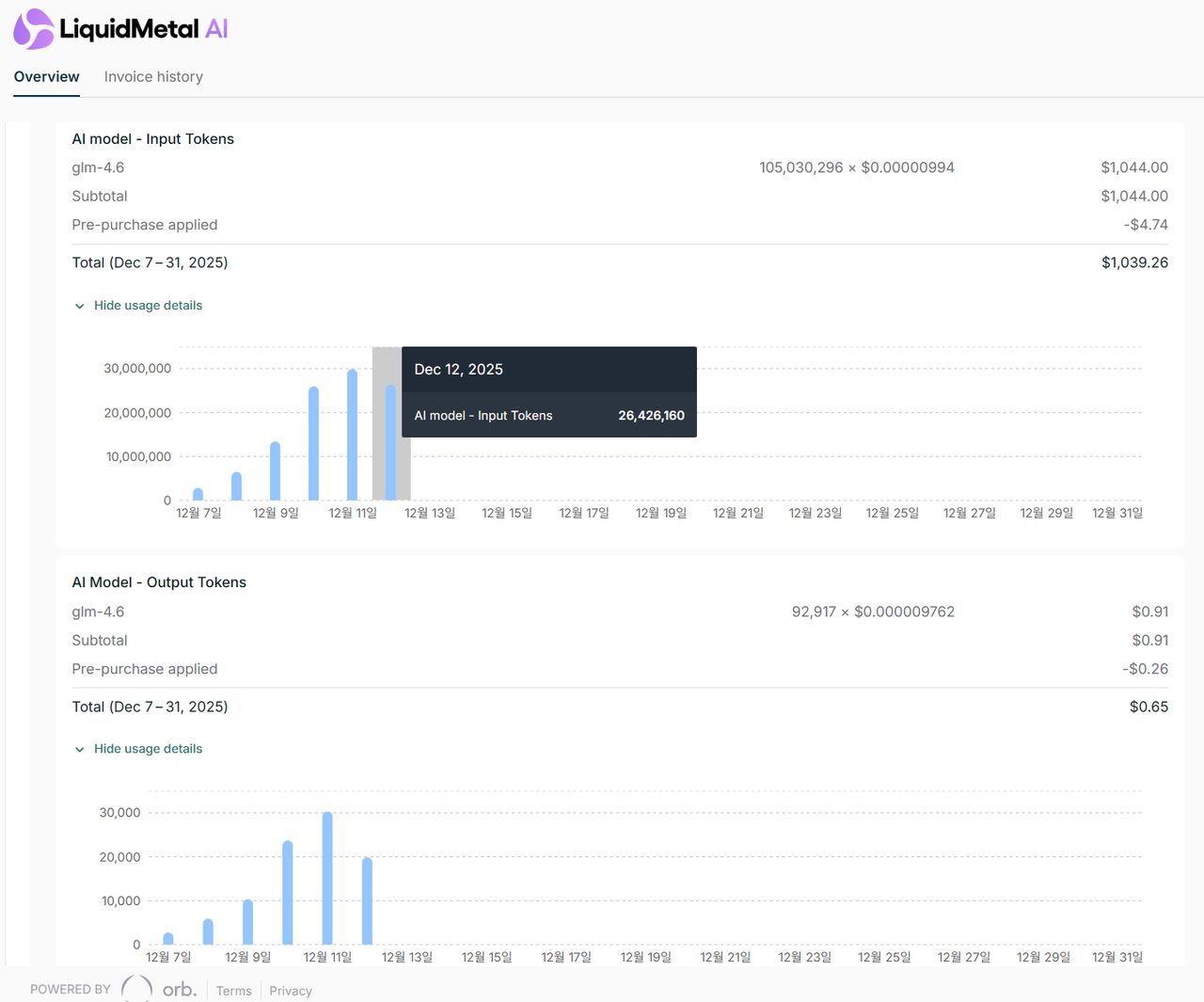
Input tokens exceeded 100 million, yet output tokens didn’t even reach 100,000. This seems abnormal.
It appears highly likely that an extremely long context (entire codebase, log files, etc.) was being sent repeatedly with each query. I can’t know the internal implementation for certain, but I expect this aspect and the pricing will improve over time.
(Currently, the platform appears to be in an early beta stage.)
The Biggest Challenge: Proxy Configuration
The most time-consuming part of development was setting up the HTTPS proxy. The API server deployed on Raindrop didn’t have a domain attached, so HTTPS access wasn’t working. Calling HTTP endpoints directly from the browser caused Mixed Content errors, and mobile connections failed entirely. I ended up creating an additional proxy server on Vercel to work around this.
There appeared to be CORS and security issues when calling the Vultr API from the Cloudflare Workers environment (Raindrop). This resulted in a double-proxy architecture. Naturally, response times suffered. In a real production environment, attaching a domain would eliminate the need for this double-proxy setup.
Please keep in mind that network errors occasionally occurred during Vultr API calls in the demo video.
Key Feature: Voice Feedback for Results
Instead of just displaying text results after server control operations, I added voice feedback.
The backend’s VoiceService sends the text to the ElevenLabs API for speech synthesis, converts the binary audio response to a Base64 string for web browser transmission, and the frontend receives this string and plays it immediately through the browser’s audio object. This way, users can receive vivid voice feedback as if an AI assistant is reporting directly — without even looking at the screen.
Additionally, I configured it so administrators can select their preferred voice in settings.
This might sound elaborate, but the implementation is actually quite simple. I built this to demonstrate what’s possible, but with proper expansion, it could become a genuinely useful feature.
For more details, please refer to the video.
(Note: There are some audio-video sync issues in certain parts of the video due to editing mistakes. Please understand.)
Conclusion
While this project isn’t quite ready for production use, I tried to build an MVP that’s faithful to core functionality.
You can control servers from the dashboard, create/start/stop/delete servers from the chat interface, and check server activity through audit logs.
However, if you ask whether this is production-ready — absolutely not. It only recognizes standardized commands, error handling is insufficient, and the proxy architecture is messy.
Still, experiencing a new platform like Raindrop and going through the process of rapidly prototyping with AI coding tools was meaningful. The Actor model-based serverless architecture was particularly interesting conceptually.
This project was built for server infrastructure management purposes, so I can’t release the code publicly without first organizing API key management and security configurations. I plan to separate sensitive information and clean up the structure before opening it on GitHub.
For more details, please refer to the video:
Related Links
- LiquidMetal AI: https://liquidmetal.ai/
- Vultr: https://www.vultr.com/
- ElevenLabs: https://elevenlabs.io/
- Demo Video: https://youtu.be/7-zsKW6YMDc
Final Thoughts
I hesitated about whether to write this up since it’s just an MVP-level project, but I decided to document it for the record.
Looking at the content alone, there’s nothing groundbreaking here. However, I believe that with proper consideration for scalability, this could definitely become a viable service.
I’ve always thought that while getting comfortable with AWS’s complex configurations enables fine-grained control, there’s also a need for simpler monitoring systems that can manage costs and servers more straightforwardly.
This project was an opportunity to actually implement that idea. Raindrop is still in its early stages with some rough edges, but I expect its features and stability to improve going forward.
If you’re interested in serverless backend platforms, it might be worth checking out.
Happy coding!
Kan.
This essay was originally published on Medium and migrated to KanApp Blog.
Comments
Join the conversation
Sign in to leave a comment.
Comment login is being configured.
No comments yet.