

Google AI Study Jam 2025: My Two-Month Journey
GCSJ — I thought it was just for beginners, but these ‘free tutorials’ consumed 6+ hours daily teaching me enterprise ML I’d never afford
I wanted to share my experience participating in Google AI Study Jam 2025 over the past two months and provide some insights for those considering it.
To be honest, I’d heard about Study Jams before but always dismissed them as something for job seekers or beginners — nothing too serious. But then I discovered that completing certain missions would earn you Google swag as completion rewards. And well… I’m a sucker for developer swag and open source merchandise 😅
Plus, I’d been primarily using Google’s APIs for AI work, so this seemed like a great opportunity to explore Google Cloud’s AI services for free. So here I am, documenting my Google Study Jam journey over these two months.
Google Study Jams are typically organized by local Google Developer Groups (GDG) communities worldwide throughout the year, so timing and availability may vary by region.
🏷 What is Google Study Jam?
Google Study Jam is Google’s online learning program designed for developers and IT professionals. It offers courses and hands-on labs covering Google Cloud Platform (GCP), artificial intelligence (AI), machine learning (ML), Kubernetes, and various other tech domains.
Participants watch online lectures, complete hands-on assignments, and learn cloud technologies through self-paced study. Upon completion, you earn digital badges and can receive completion swag.
Essentially, you study independently during the designated period through video tutorials and hands-on labs. There’s a leaderboard where you can see other participants’ progress, but it’s fundamentally self-directed learning where you earn badges as you go.
Sounds simple enough, right? That’s what I thought initially. But stick with me — I think you’ll find some compelling aspects by the end of this review.
(It seems like 2025 has significantly expanded AI-related content due to the current AI boom.)
✅ Key Features
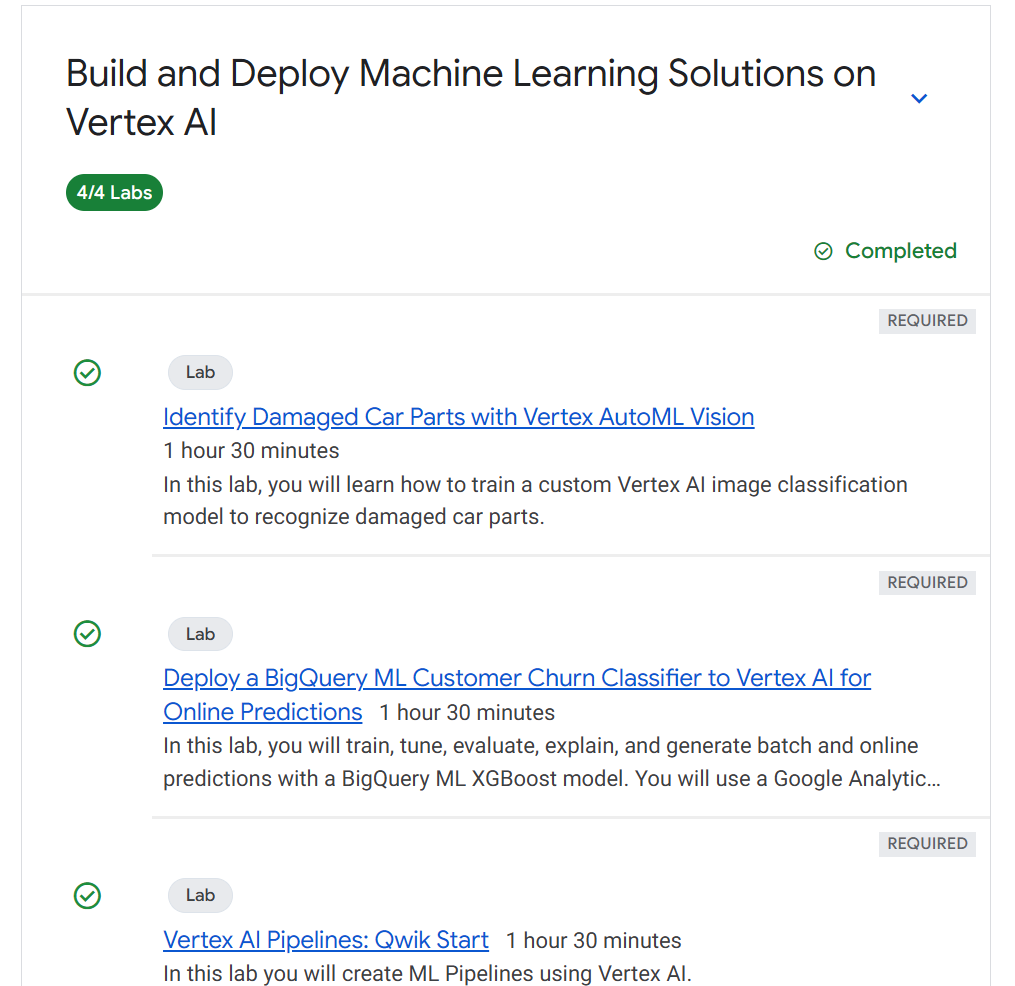
Hands-on Learning Focus: The program uses Qwiklabs through the Google Cloud Skills Boost platform, allowing you to work in actual GCP environments. Think of it as comprehensive tutorials. Content includes videos, hands-on labs, quizzes, and documentation. More challenging courses require completing both practical labs and challenge labs.
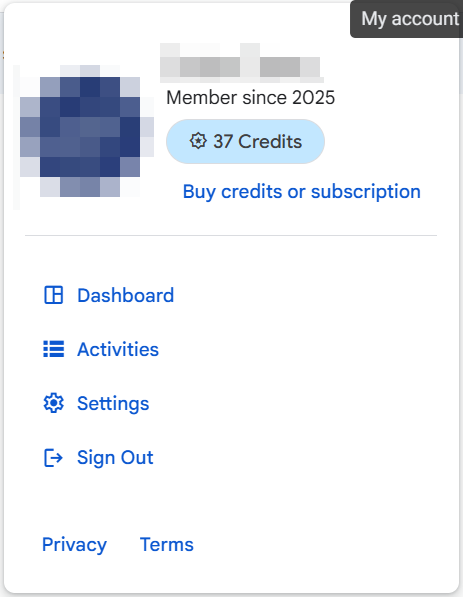
Free Credits: Participants receive free credits for the normally paid Qwiklabs platform, letting you experience various labs without cost concerns. Initial tutorial completion grants around 209 credits to get you started.
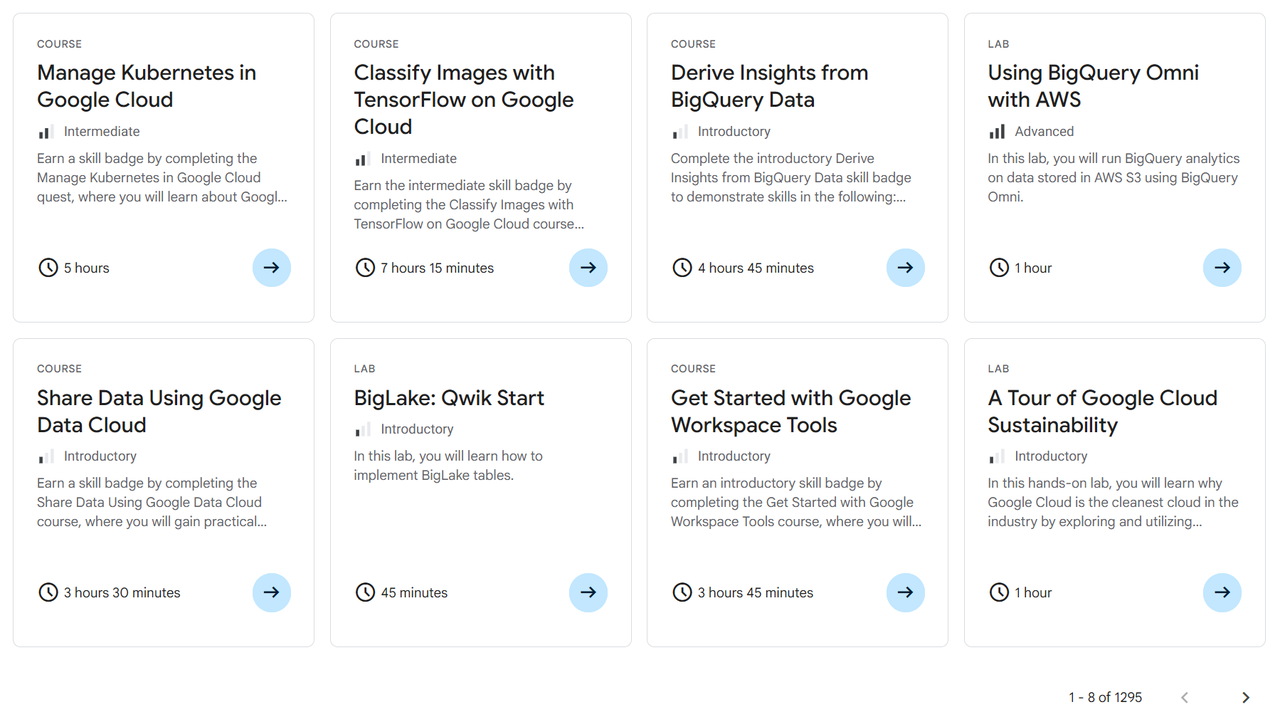
Diverse Learning Topics: You can explore virtually everything available in Google Cloud — AI (Vertex AI, Gemini), machine learning (ML), Kubernetes, Terraform for infrastructure, and more. Each course contains multiple labs, with completion times ranging from 1 hour for shorter courses to 7–9 hours for comprehensive ones. Currently, there are 1,295 courses available.
Digital Badges and Swag: Complete specific labs within the timeframe to earn digital badges. Meet the completion criteria (missions) to receive Google merchandise like t-shirts, stickers, backpacks, etc.
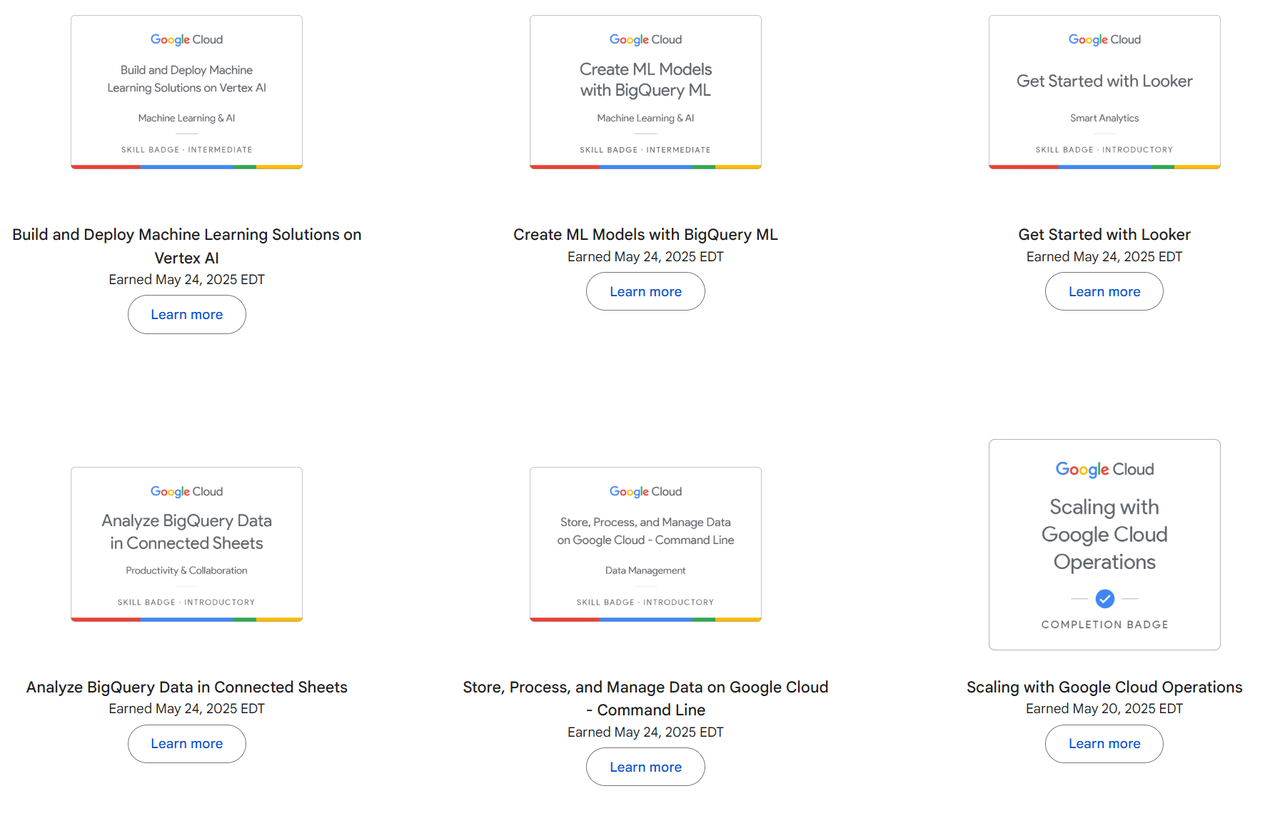
The skill badges also integrate with Credly, so you can showcase them for networking or portfolio purposes at platforms like https://www.credly.com/users/ryankan
Credly is a digital badge platform that visualizes qualifications, certifications, and training completions as verifiable online credentials.
For more details, check the official site: https://events.withgoogle.com/cloud-studyjam/
Study Jams typically run once per year.
🏷 Who Should Participate?
There are no participation requirements — just fill out the application form when it opens and wait for the email confirmation. Then participate during the designated period by completing the coursework.
This year, approximately 3,500 people participated according to the organizers, giving you a sense of the program’s scale.
So who would benefit most from this? (This is my personal assessment, so take it with a grain of salt.)
✅ Helpful Prerequisites
Basic Linux Commands: Most GCP labs use Cloud Shell or Compute Engine VMs. While most commands are provided, knowing vi or nano editors is helpful. Other Linux knowledge makes things smoother but isn’t mandatory — though you might struggle more with troubleshooting without it.
Python: AI-related learning involves heavy Jupyter notebook usage, so understanding Python basics and Jupyter operations is beneficial.
API Integration and General Development Knowledge: Beginners are welcome, but having some background significantly reduces learning time.
These aren’t requirements — just things that make the experience smoother. You can still dive in without them, though I’d say the difficulty level makes it more suitable for junior developers and above, or IT professionals.
✅ Target Audience Analysis
IT Professionals / Junior+ Developers ⭐⭐⭐⭐⭐
The ideal demographic. Basic development knowledge accelerates learning, and you can immediately apply the experience to real work.
It gives you the opportunity to work with advanced technologies you wouldn’t normally get to touch.
Students / Non-IT Personnel ⭐⭐⭐
Challenging but worthwhile if you’re willing to push through the difficulty. Being free, it’s worth attempting just for the broadened perspective. You’ll get hands-on experience with cutting-edge technologies you’ve only heard about. (However, Challenge Labs might be particularly tough to complete.)
✅ Learning Process Characteristics
Basic Learning Process
All courses provide step-by-step instructions for every command and process. Early stages are quite manageable since everything is laid out clearly.
Challenge Labs
These test what you’ve learned so far, and they’re genuinely challenging. Challenge Labs provide only scenarios and minimal information — you must solve problems independently.
Language Support
Some courses support multiple languages, but English works better with fewer issues. Several courses don’t complete properly in non-English versions, and translations can be confusing enough that reading the original English is clearer. I recommend proceeding in English.
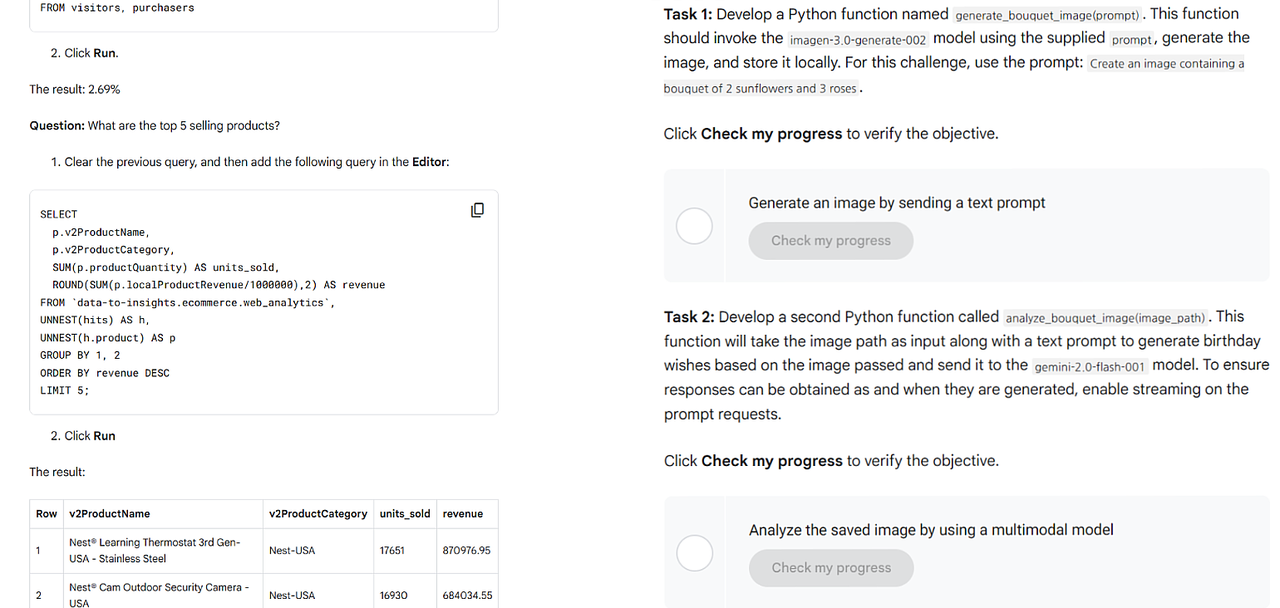
The left image shows the learning process with detailed step-by-step guidance, while the right shows challenge labs with only scenarios and minimal information.
🏷 Does This Help in Real Work?
This is probably the most important question. Bottom line: yes, it absolutely helps.
What surprised me most was having free access to the actual Google Cloud Platform environment. Usually, learning cloud services means creating personal accounts and worrying about billing, but Study Jam provides separate credits so you can practice worry-free — that’s the biggest advantage.
It’s particularly valuable if you’re planning to use Google Cloud, and for my focus area of AI, it really helped solidify concepts and experience things that are typically hard to access.
Two memorable experiences stand out:
✅ Building Enterprise-Grade ML Pipelines with Vertex AI
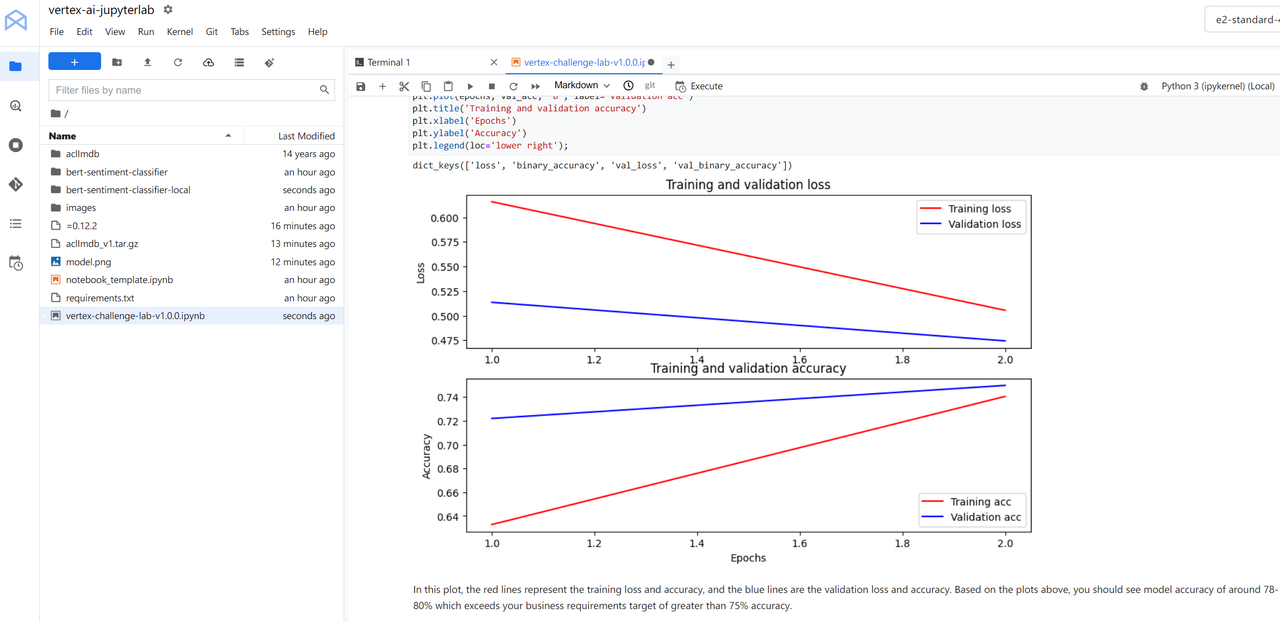
When developers learn machine learning, they usually stop at creating simple models in Jupyter Notebooks. The MLOps aspects needed for production environments (model versioning, automated retraining, A/B testing, monitoring) are difficult to experience due to cost and complexity.
The graph below shows reaching our target 75% accuracy, with Training and Validation lines following similar patterns, indicating stable model learning.
✅ Intelligent Document Processing Automation with Document AI
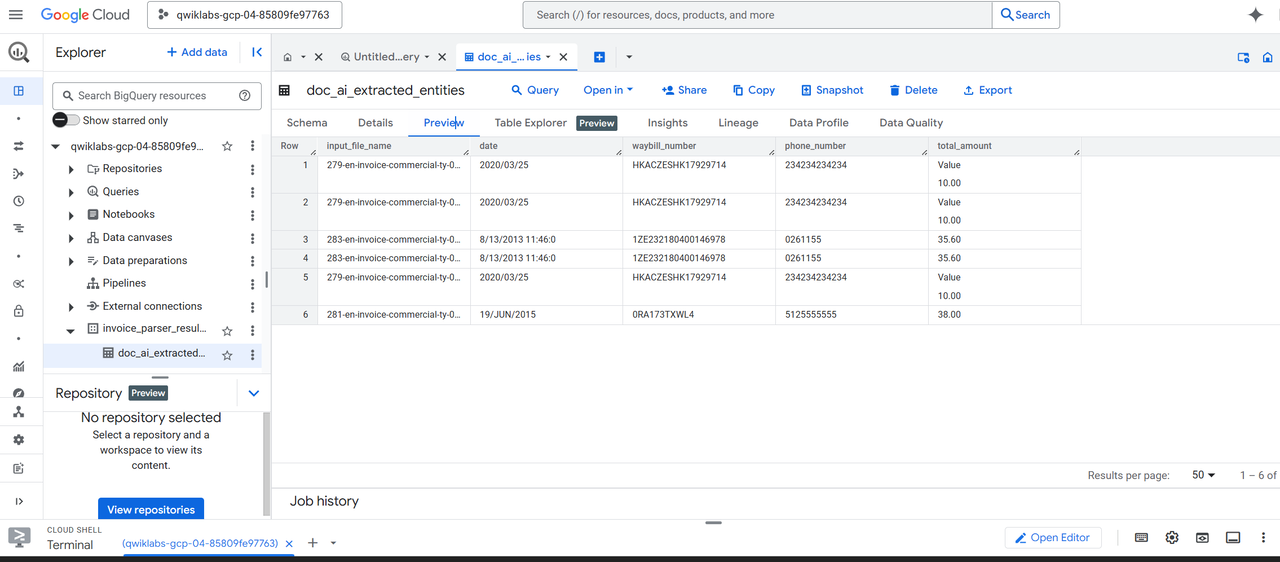
Document information extraction usually ends at simple OCR libraries or regex patterns. But real business requires accurate extraction from complex forms like contracts, tax invoices, and applications — advanced document understanding technology that’s very difficult for individuals to implement.
✅ Summary
I mentioned just two examples, but there’s much more available if you’re interested.
The biggest advantage is that everything is pre-configured when you start labs. You can experience things in 1–2 hours that would take individuals hours to days to set up independently. However, thorough understanding requires additional study time.
Over two months, I explored:
Cloud Infrastructure & Networking
- Google Cloud Platform core infrastructure (Compute Engine, Cloud Storage, VPC)
- Load balancing (Application Load Balancer, Network Load Balancer)
- Secure network architecture (firewall rules, VPC peering, Private Google Access)
- Cloud Observability (Cloud Monitoring, Cloud Logging, Error Reporting)
Data & Analytics
- BigQuery (petabyte-scale data warehouse, SQL-based ML)
- Cloud SQL (PostgreSQL instance management)
- Database Migration Service (MySQL → Cloud SQL migration)
- Connected Sheets (BigQuery and Google Sheets integration)
- Dataflow (real-time data processing pipelines)
AI/ML Platform
- Vertex AI (integrated ML platform, AutoML, Custom Training)
- Gemini API (generative AI, prompt engineering)
- Cloud Vision API (image analysis, OCR)
- Document AI (intelligent document processing)
- Vector Search & Embeddings (vector search, similarity search)
Development Tools & Platforms
- App Engine (serverless application platform)
- Cloud Functions (serverless functions)
- API Gateway (API management and security)
- Cloud Build (CI/CD pipelines)
- Google Workspace Tools (Apps Script, Workspace integration)
Specialized Tools
- AppSheet (no-code app development platform)
- Looker (business intelligence tool)
- Dataplex (data fabric management)
- Prometheus (monitoring system)
🏷 What Could Be Better?
I’ve highlighted mostly positives, so you might wonder about downsides.
Mysterious Errors
Despite following instructions correctly, completion sometimes failed, especially early on. Whether this was later fixed or a different issue, support only suggested switching to English (even when I was already using English). This often meant trying different approaches or restarting, which was frustrating when it consumed 5+ credits multiple times.
Too Short Time Limits
Before getting comfortable, time limits felt too restrictive. Even after previous learning stages, completing difficult tasks in 1–2 hours was challenging. However, once you get the hang of it, time becomes sufficient. Start with introductory levels, then move to intermediate as you gain comfort.
No other major issues come to mind.
🏷 A Few Tips
Some helpful tips if you decide to participate:
- Proceed in English when possible (prevents errors and mistranslations)
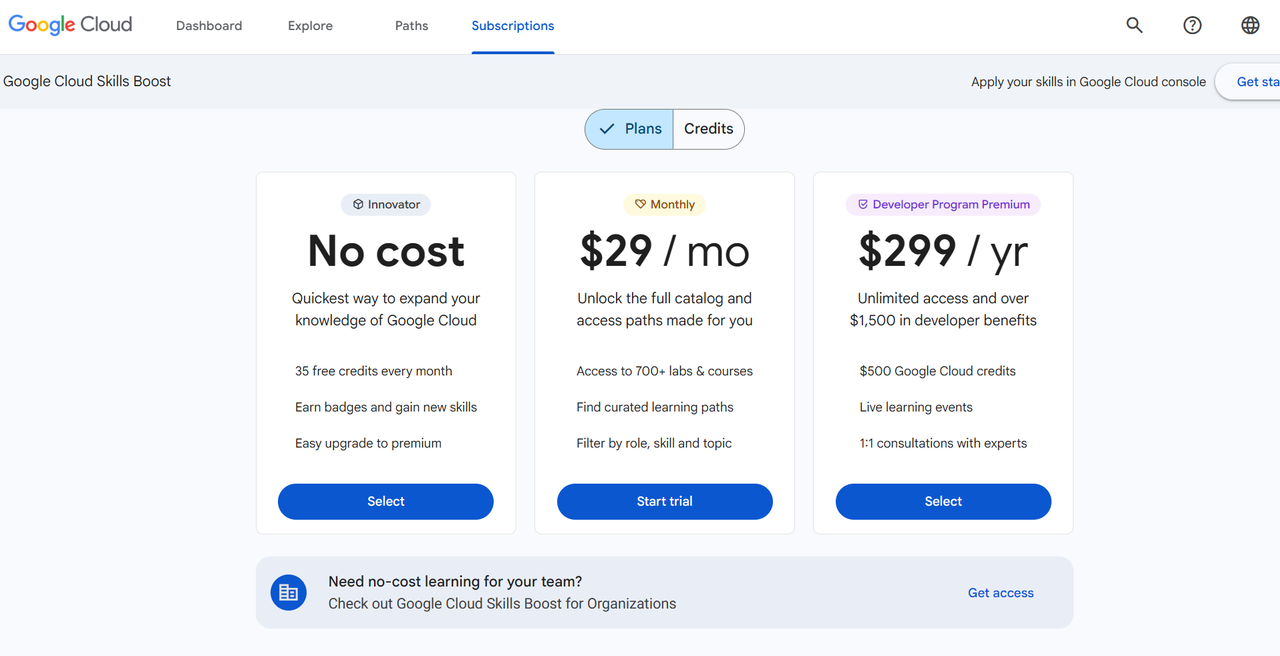
- Credits can be recharged 2–3 times, so don’t stress too much about credit count — but don’t waste them
- When stuck on challenge labs, search online — GitHub and YouTube often have helpful resources
- Get familiar with GCP interface and Cloud Shell quickly
- Use copy icons during learning — paste instead of typing to save time
- Cloud Shell and web SSH handle multi-line pastes well (no need to paste line by line)
- Web SSH often fails on first attempt — just retry if it fails
- Use the leaderboard to fuel your competitive spirit
- Take screenshots and note commands during learning (helps for future reference)
🏷 Final Thoughts
I meant to keep this brief, but it got quite lengthy… I hope it’s not too disorganized.
I got hooked on climbing the leaderboard rankings instead of gaming after work. I probably spent 4–6 hours on weekdays and full days on weekends studying.
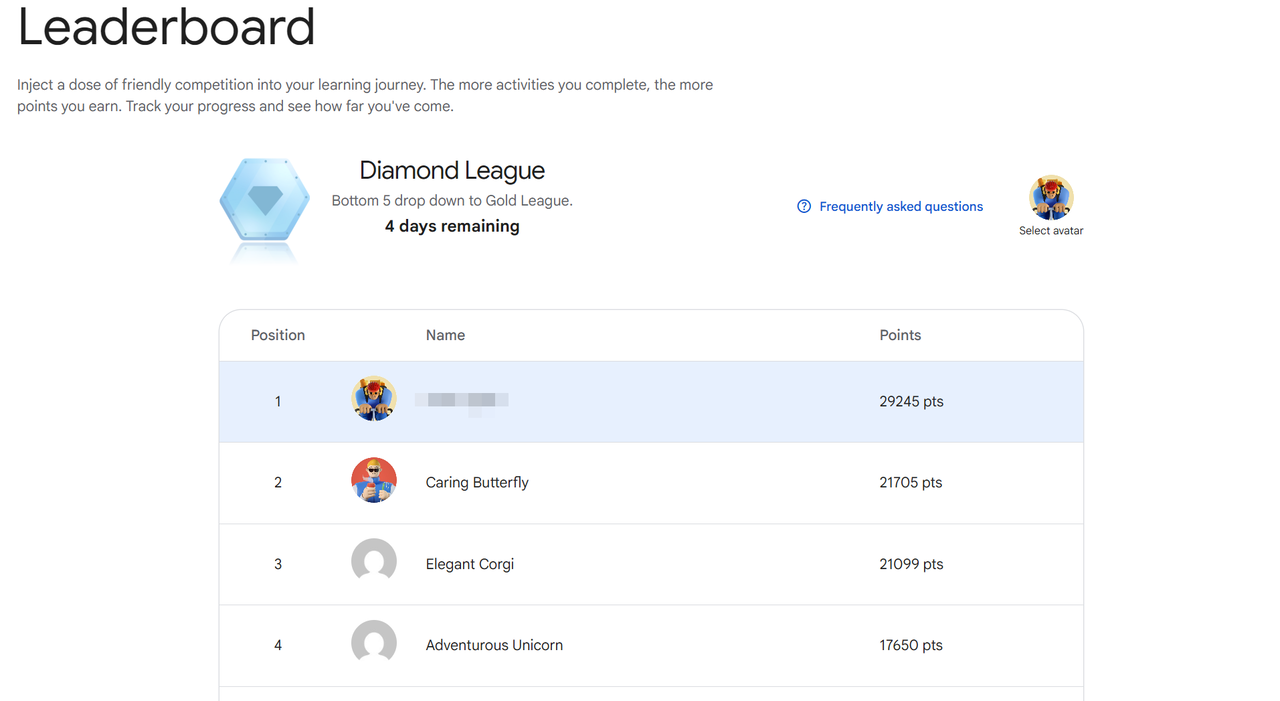
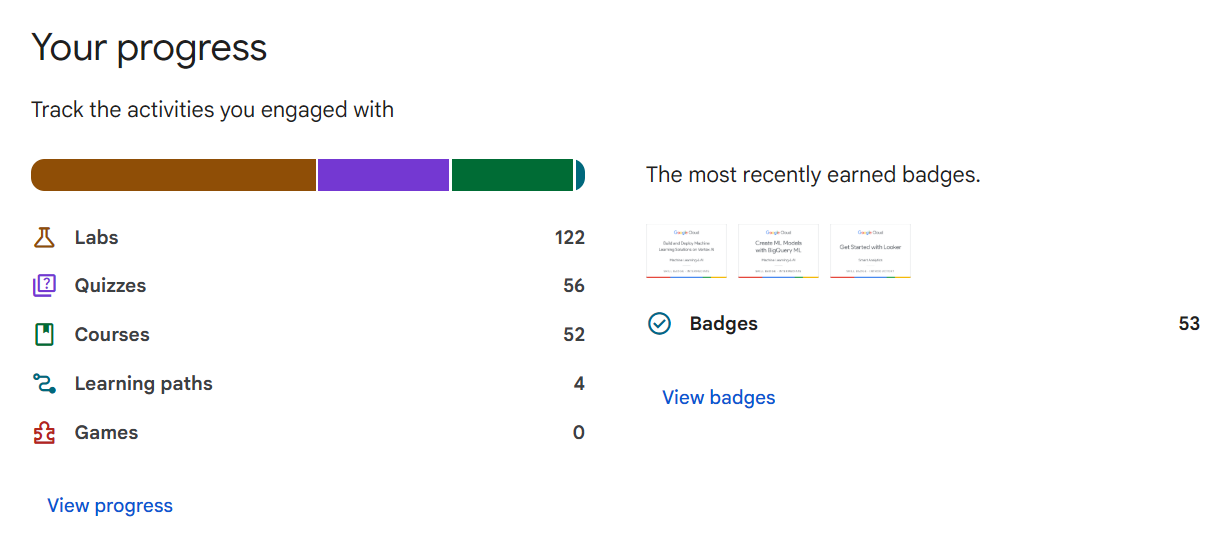
I achieved “Swag Package 4” with 53 badges (21 skill badges) and still have about 2 weeks left. Looking forward to that Google Swag!
I started for the swag but honestly thought it would be easy given my experience and AI development background. However, I kept hitting unexpected challenges. Despite being tutorials, many courses had impressive depth and structure (though not all).
I also started using Gemini extensively and found it quite good — even subscribed to it (I previously used mainly OpenAI and Claude).
While it’s built around Google Cloud Platform which might seem daunting, the fundamental concepts apply to other platforms too, so don’t let that deter you. Having free access to this level of hands-on experience is a real opportunity. I highly recommend giving it a shot if you get the chance.
If you want to start immediately without waiting for the next Study Jam, you can purchase credits (free tier gives 35 credits monthly): https://www.cloudskillsboost.google/subscriptions
After this intense two-month sprint, I definitely feel like my perspective has broadened significantly. If you get the opportunity, give it a try — it’s absolutely free!
Next, I’m planning to cover “Predicting Baseball Games with Machine Learning” from one of the courses. Stay tuned!
I hope this review helps anyone considering Google Study Jam participation. Feel free to leave any questions in the comments!
This essay was originally published on Medium and migrated to KanApp Blog.

Comments
Join the conversation
Sign in to leave a comment.
Comment login is being configured.
No comments yet.